

Business communications · Dubai, UAE
3CX Dubai: a business phone system planned around your calls
3CX is a software-based phone and communications platform. For a Dubai business, choosing 3CX is only one part of the decision: the design also needs an appropriate licence, a suitable deployment location, a compatible voice provider, reliable network paths and call handling that matches how people actually work. This guide explains those choices and the checks to complete before purchase or migration.
At a glance
| What it is | A software-based business PBX and communications platform. |
|---|---|
| Licence sizing | Commercial licensing is based on edition and simultaneous-call capacity; user and extension limits also apply. |
| Deployment choices | Hosted by 3CX, self-hosted in a supported cloud environment, or on-premise where the requirements are met. |
| External calling | Requires a separately arranged SIP trunk or other supported voice connectivity and business numbers. |
| Dubai / UAE check | Confirm the local voice provider, service arrangement and regulatory requirements before enabling calls for UAE-based users. |
What 3CX does, and what a buyer still needs to choose
3CX provides the software layer for business telephony and related communications functions. Depending on the chosen edition, release, deployment and configuration, a system can include extensions, call routing, digital receptionists, queues, ring groups, browser and desktop access, mobile applications, supported desk phones, reporting, integrations and collaboration features. The feature list should be checked against the exact edition and current 3CX documentation because packaging and support details can change over time.
A 3CX licence is not the same thing as a phone number, SIP trunk, cloud server, handset, installation service or support agreement. A business may buy a software licence and still need a separate carrier contract, hosting arrangement, devices, firewall work, network improvements, migration services and administrator time. A practical quote identifies these parts separately so the buyer can see what is included and which responsibility sits with the business, carrier, hosting company or implementation provider.
For Dubai and UAE projects, the voice-provider decision belongs near the start of planning. Confirm which numbers can be used, what service the carrier supplies, how inbound and outbound calls are billed, and whether the provider supports the proposed 3CX deployment. The system’s technical compatibility is only one part of the decision. The voice service for UAE-based users must also be arranged in line with current UAE requirements. Ask the licensed provider and, where needed, TDRA or a qualified adviser to confirm the applicable position for the intended service.
A Dubai deployment starts with the voice service
The UAE Telecommunications and Digital Government Regulatory Authority states that access to VoIP services for UAE-based users is allowed when the services are provided in collaboration with licensees or approved by TDRA. Do not assume that a generic internet calling service or a technically compatible SIP trunk is automatically suitable for local business use. Confirm the provider, numbers, service arrangement and compliance responsibilities directly with the licensed telecom provider and the relevant authority before contracting or activating service. This page offers technology planning guidance, not legal advice.
Who should consider 3CX?
3CX can suit organizations that want a software-managed phone system with a mix of office, remote and mobile users. The fit depends less on the company label than on its call routes, existing telecom service, network, administration capacity and preferred deployment model. A small office with a receptionist and a few teams may need a simple menu, ring groups and voicemail. A larger customer-service operation may need measured queue capacity, agent procedures, supervisor visibility and a tested process for service interruption. A distributed company may need a central numbering plan, branch routing and a clear owner for each location’s network.
Businesses replacing an older PBX should compare the existing call experience with the target one before selecting devices or licence size. List every public number, direct dial number, department, hunt group, fax or alarm line, after-hours destination and dependent workflow. Identify what must be preserved, what can be simplified and what should be redesigned. Keeping the old flow unchanged may reproduce workarounds that staff already find confusing; changing it all at cutover can disrupt callers. A staged decision is usually easier to test and explain.
Organizations with multiple Dubai offices, branches in other emirates, remote staff or overseas teams should document where each user sits and what the call path should be when their office internet or power is unavailable. A single 3CX instance may be suitable for some organizations; another may require separate systems, bridges, local voice services or a different continuity plan. The design should reflect real network and operating conditions instead of assuming that every site will behave like the head office.
Requirements worth writing down before you request a quote
- People and extensions: count staff, shared devices, reception positions, call-queue agents, temporary workers and future hires separately. Confirm extension limits as well as simultaneous-call capacity for the proposed licence.
- Peak traffic: estimate the busiest period, not the average day. Include internal calls, external calls, hold and transfer behaviour, seasonal peaks, campaigns and concurrent meetings that use voice.
- Numbers and carrier: list the numbers to retain, new numbers required, inbound routing, outbound caller ID, number portability questions and the intended SIP provider.
- Deployment and control: decide who should manage the operating system, updates, backups, firewall, monitoring, user accounts and recovery procedures.
- Devices and locations: list phone models, headsets, conference phones, door phones, analogue endpoints, network switches, access points, sites and remote users.
- Workflows: map office hours, public holidays, language choices, queues, overflow rules, voicemail destinations, escalation paths and reporting needs.
- Governance: identify call recording, retention, transcription, privacy, data location and user-access requirements that the organization needs to validate.
Licence and call capacity: size for the busy hour
Commercial 3CX editions are licensed as a system subscription and sized mainly by simultaneous calls rather than by charging a separate licence for every user. A simultaneous call is one call taking place at the same time as other calls on the system. Both internal and external calls contribute to that capacity, while an idle extension does not consume a simultaneous-call slot. 3CX also defines recommended and maximum extension or user limits for each capacity size. The chosen size must satisfy both call demand and the system’s extension limits.
Estimate the busiest interval using call records if they are available. If records are not available, ask department leads how many inbound calls are commonly active at once, how many outbound calls happen during the same period, how many calls wait in a queue, and whether staff frequently consult each other while a customer is connected. Add known growth, seasonal surges and any planned new departments. Keep the assumptions visible in the quote; a licence that covers today’s quiet hour may not cover a normal busy period.
Extension count and call capacity answer different questions. A company with many employees who rarely call at once may need more extensions than simultaneous calls. A contact-heavy team may create higher concurrency with fewer users. If branches share one system, calculate their expected peak traffic together and check how the system handles call routing across sites. Do not size solely by the number of handsets, staff or desk phones.
Edition selection is a separate decision from call capacity. Start with a written list of required features, then compare that list with the current edition matrix for the relevant 3CX release. Confirm the requirements for queues, reporting, integrations, recording, failover, API access or AI-related functions if they matter. Treat names and packages as version-dependent. Ask the supplier to identify the exact licence edition, capacity, term, renewal date and support arrangement in the quotation, rather than relying on a broad description such as “full feature” or “enterprise”.
Choose a deployment model by ownership, control and support
| Model | What it changes | Questions to resolve |
|---|---|---|
| Hosted by 3CX | 3CX manages the hosted system and operating-system layer under its service terms. The business still manages its users, call flows, numbers, devices and business procedures. | Confirm supported SIP service, hosting conditions, responsibilities, network paths, local compliance, support scope and any feature or hardware restrictions. |
| Self-hosted cloud | The organization runs 3CX in a supported cloud environment and owns more of the instance administration and infrastructure relationship. | Name the cloud account owner, operating-system administrator, backup and update process, firewall owner, monitoring method and recovery contact. |
| On-premise | The PBX runs on infrastructure at the organization’s site, virtual or physical as supported, and depends on local network, power, firewall and DNS planning. | Check static addressing, DNS and FQDN behaviour, firewall configuration, server lifecycle, backup, power continuity, remote access and maintenance ownership. |
Hosted service can reduce the work involved in maintaining the PBX operating system, but it does not remove responsibility for the business’s call design, carrier, endpoint security, user training, access policy or support escalation. The 3CX installation guide states that Hosted by 3CX handles system and operating-system management and updates, and also notes that technical support is not included in that hosting service. Read the current hosting terms and decide who will troubleshoot user, carrier, network and configuration issues.
Self-hosting offers control over the cloud account and the operating environment, but that control comes with practical work. Someone must patch and monitor the server, maintain backups, manage firewall rules and DNS, review system capacity, protect administrator access and test restoration. Hosting in a cloud region does not automatically satisfy an organization’s data-location requirement; confirm the actual provider, service region, backup location and contractual terms.
On-premise deployment can be appropriate where the organization has a capable IT team, suitable infrastructure and a reason to operate the PBX locally. It requires careful planning for a static public address, DNS, firewall, power, server resources and external access. A site that has only consumer-grade internet equipment or no owner for patching and backup may be better served by a managed model, subject to its requirements and carrier compatibility. 3CX’s current installation guide should be reviewed before the model is selected.
SIP trunks, UAE numbers and external calls
A 3CX system needs an appropriate voice service to make and receive calls over the public telephone network. In most business deployments, this means arranging a SIP trunk and business numbers with a provider, then configuring that service in 3CX. The licence, trunk, numbers, call rates and any carrier services are separate commercial components unless a quotation explicitly bundles them. A vendor-approved or supported trunk can simplify setup because the provider settings are pre-configured and support expectations are clearer, but the provider must still meet the organization’s service and regulatory needs.
For Dubai, make the provider conversation specific. Ask which business numbers are available for the location and company, whether existing numbers can be ported, how outbound caller ID will appear, what happens if the trunk is unavailable, what call records are provided, and which routing methods and security options the trunk supports. Confirm whether the provider uses registration-based or IP-authenticated connectivity, what addresses need to be allowed, how DTMF works for menus, whether the provider supports the required number formats, and how service faults are reported.
The 3CX supported SIP trunk guidance describes both registration-based and IP-based trunk authentication. The right method depends on the carrier, 3CX deployment and services required. A technically working configuration does not establish that a voice service is approved for use in the UAE. TDRA’s internet guidelines say VoIP access for UAE-based users must be provided in collaboration with licensees or approved by TDRA. Confirm the carrier’s role and the applicable arrangement before routing live calls.
Do not assume that the same trunk design works in every deployment model. Hosted PBX rules, public IP requirements, gateway compatibility, local number assignment, and provider network controls can differ. Some analogue lines or legacy services may require an on-premise gateway, which may not be supported by every hosted model. If a fax, lift, alarm, door phone, payment terminal, or other device currently depends on a telephone line, identify it before replacing the old PBX and get the carrier and system designer to confirm the intended connection method.
Ask the voice provider and implementation lead to document service demarcation: who owns the public number, who monitors trunk registration, who investigates one-way audio, what information is required to open a fault, and what fallback is available when internet connectivity is interrupted. A support contract is much more useful when it specifies these hand-offs than when it simply says “VoIP support included.”
Voice regulation and customer data require deliberate checks
Before launch, confirm the current UAE requirements that apply to the voice provider, service arrangement, numbering and any calls or messaging features used by UAE-based staff. If the project records calls, transcribes audio, stores voicemail, connects messaging channels or sends data to a third-party CRM, separately review the organization’s privacy notices, data handling, retention, access and contractual requirements. A system feature being technically available does not decide whether the organization should enable it, how long to keep data or who may access it. Ask a qualified adviser and relevant service providers to confirm the rules for the business and its intended use.
Network readiness for clear, reliable calls
Voice traffic is sensitive to delay, packet loss, jitter and network congestion. A fast internet speed test alone cannot show whether voice will perform well during a busy day. Review the actual network path from handsets and computers to the PBX and trunk, including Wi-Fi segments, security appliances, remote office links, cloud egress, DNS resolution and any site-to-site tunnel. Ask the network team to test during normal business activity as well as during a quiet maintenance window.
Map the office network before ordering phones. Confirm switch capacity, PoE availability, VLAN policy, port profiles, cabling condition, uplink capacity, Wi-Fi coverage and the impact of guest, video and backup traffic. Use a voice VLAN or traffic prioritization only if the network owner can support and document it end to end. A quality-of-service setting at one switch cannot correct a congested internet circuit, overloaded access point or poorly configured firewall further along the path.
Firewall and NAT design must match the chosen hosting model and current 3CX release. Review the official firewall guide for the correct ports, protocols and destinations; do not copy a port list from an old blog or open a broad range without understanding the requirement. The system may need SIP signalling, RTP media, HTTPS, provisioning, push notifications, conferencing or other services. Which flows are needed depends on the features and architecture in use. Keep a record of approved rules, source and destination, owner, change ticket and test result.
For an on-premise or self-hosted deployment, check the public IP address, DNS and FQDN behaviour, certificate renewal, firewall control and split DNS where required. The installation guide calls out a manageable DNS setup, a static IP and a properly configured firewall for those models. For cloud deployments with desk phones, 3CX documents Router Phone and SBC connection approaches. Choose the current supported method after reviewing phone models, site topology and expected call capacity.
Test call quality from every important location: reception, meeting rooms, shared spaces, remote offices and representative home connections. Include simultaneous calls, hold music, transfers, conference calls, mobile push behaviour, voicemail, inbound caller ID and the busiest queue. If audio drops or becomes one-way, capture timestamps, call direction, endpoint, network path and provider response. A test plan helps separate handset, firewall, carrier and internet issues instead of treating every problem as a PBX fault.
Call flows: make the caller’s next step obvious
An auto-attendant or digital receptionist should reduce caller effort, not make every caller listen to a long menu. Start with the questions customers routinely ask and direct those callers to a person or team that can act. A simple menu might offer sales, service and reception, while a more complex organization may route by language, department or location. Use plain spoken prompts, keep choices short and provide a path to a person where the organization expects callers to need one.
A call-flow map should cover business hours, holidays, after-hours calls, busy periods, unavailable agents, abandoned calls, overflow, voicemail and emergency or critical contacts. Decide who owns the greeting text and how it is updated when opening hours change. If a caller selects the wrong option, define where the call goes. If a queue reaches its limit or waits too long, specify the overflow destination and any message played to the caller.
Queues and ring groups solve different operational problems. A ring group can alert a selected set of extensions according to a strategy; a queue can manage callers waiting for available agents and may provide queue-specific reports and controls depending on the edition and configuration. A queue design should state which users are eligible to answer, how they sign in or change status, when calls are distributed, how long callers wait, what happens if no one answers and which measures a supervisor will review.
3CX’s current administration material covers IVRs, queues, ring groups and office-hours routing. Use it to confirm the available settings for the installed release. Before cutover, play every prompt from a real caller route, place test calls at the start and end of the workday, test each menu option and verify that after-hours destinations work even when an office phone is turned off.
Desk phones, web clients and remote users
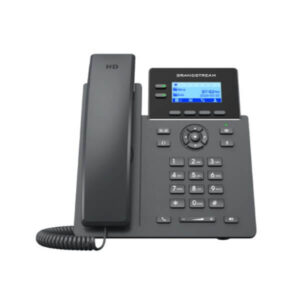
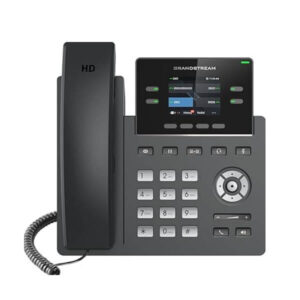
A 3CX deployment can combine supported SIP desk phones with browser, desktop and mobile clients, subject to current version and device compatibility. Choose a device for the job rather than assuming that every user needs the same handset. Reception may need a visible busy-lamp layout and an easy transfer workflow. A quiet office user may need only a headset and browser access. A meeting room may require a conference device, while warehouse or service staff may value a mobile extension. Every model should be checked against the current 3CX supported-phone list before purchasing.
For phones in a Dubai office connecting to a cloud-hosted PBX, evaluate the current supported SBC or Router Phone design. A 3CX SBC runs within a local network and can provide a connection path for desk phones to a cloud or remote 3CX system. The appropriate platform and capacity depend on the deployment, phone count and product version. Plan for a stable local network, required firewall flows, a responsible device owner and a recovery plan if the SBC or router phone is unavailable.
Remote staff need more than an app download. Confirm that company policy permits the chosen devices, that users understand sign-in and recovery steps, that mobile push and notification behaviour are tested, and that the person receiving calls can use an approved headset and private workspace. Decide whether remote employees should appear under their company extension, how calls are transferred to them, and what happens when their phone loses connectivity or battery power.
For existing phones, verify the exact model, hardware revision, firmware, power supply or PoE requirement, supported provisioning method and feature keys. A phone that can register over SIP is not automatically supported for every provisioning feature. Check sidecar modules, expansion keys, headset controls, paging, hot desking and shared-device use one by one. Test a representative device before rolling out dozens of phones.
Integrations: begin with the user’s workflow
An integration is valuable when it removes a repeated step or helps a user see useful context during a call. Identify the task first: should a caller record appear in a CRM, should users click a telephone number in a supported application, should contact details be presented on an inbound call, or should call information be written to a business record afterward? Then confirm that the current 3CX edition, the integration method and the exact third-party product version support that workflow.
Do not purchase a licence based only on a general statement that “CRM integration is supported.” Ask whether the intended integration is built-in, template-based, API-based or delivered by a separate connector. Check authentication, fields, user mapping, call direction, failure behaviour, rate limits, data retention and software update responsibilities. Test with representative user accounts and a safe test record before enabling the connector for a full team.
For a Microsoft 365, Teams or CRM requirement, describe what the business expects the staff member to see and do, not only the brand name. Presence, directory synchronization, click-to-call, call logging, direct routing and identity are different use cases and may have different prerequisites. Keep the initial release focused on the workflows that reduce customer effort or administrative time. Document later enhancements as a separate phase if they depend on licensing, security review or vendor coordination.
Security, privacy and administration
A phone system contains administrative credentials, extension identities, business numbers, call histories and potentially recordings or messages. Treat it as a business system with named owners and a change process. Use unique administrator accounts, strong authentication where available, least-privilege roles, secure credential storage, a timely access-removal process and a review of dormant accounts. Keep the PBX, host, firewall and phones on supported software and firmware, and assign a person to read vendor security and lifecycle notices.
Network access should be limited to what the chosen deployment and features require. Avoid exposing management interfaces broadly to the internet. Restrict administrative access to approved paths, apply current firewall guidance, document service dependencies and review remote provisioning. If the provider supports TLS or SRTP for the trunk and the selected configuration has been tested, assess whether encrypted signalling and media are appropriate. Encryption support depends on the provider and must be confirmed end to end; it is not established by enabling a single option in the PBX.
Before recording or transcription is enabled, identify the purpose, users who can access the information, retention period, export process, deletion process and any third parties that receive or store it. Review internal policies and obligations with qualified advisers. Decide whether callers or staff need a notice, whether sensitive departments require different treatment and how a recorded call can be found and securely shared when a customer asks for follow-up.
Backups should be stored separately from the primary system and tested through a restore exercise. A backup job that has never been restored does not prove that the PBX can be recovered on schedule. Record the backup owner, encryption and access controls, storage region, retention, restore steps, system dependencies, required licence or activation details and the person authorized to declare recovery. Include the SIP trunk, DNS, public numbers, call flows and administrator access in a continuity plan; restoring the virtual machine alone may not restore the whole service.
Assign an operating owner for user changes, new extensions, greeting updates, phone replacement, queue membership, service incidents and renewal decisions. A system can be technically stable while becoming operationally confusing if nobody owns routine changes. A short runbook and a named escalation route make future support more predictable for Dubai staff and remote teams.
Migration from an older PBX
A migration begins with discovery, not with unplugging the old PBX. Record the current system model and version, line types, public numbers, direct dial ranges, extensions, groups, paging, voicemail boxes, receptionist steps, pickup behaviour, fax or analogue dependencies, emergency procedures and after-hours routing. Identify phones that can be reused, their firmware and features, and any third-party systems that rely on a phone line or call event.
Translate this inventory into a target design. Decide which call flows are retained, simplified or replaced; confirm the SIP provider and number porting process; map old extensions to new ones; identify devices that need replacement; and schedule a cutover window with the carrier, IT staff and business owners. If a number port is involved, do not cancel the old service until the port and new route have been confirmed with the provider.
A staged migration can reduce risk. Prepare the new system in parallel, test internal calling, inbound and outbound calls, caller ID, queue behaviour, mobile access, voicemail and failure paths. Pilot with a small team or one department, collect issues, then migrate the remaining users by a documented sequence. Keep a rollback condition, contact list and the exact point at which the team would return calls to the prior arrangement.
Fourteck has a separate page for legacy PBX migration to 3CX in Dubai. Use it when the main requirement is migration planning and refer to the current compatibility and service scope before any cutover date is agreed.
Business scenarios in Dubai
A single office with reception and three departments
A professional office may want callers to reach reception, sales or service without publishing a long list of personal numbers. Start by writing each greeting and destination in plain language. Define the office-hours schedule, holiday rules, overflow route, voicemail ownership and a process for updating prompts. Check which numbers the carrier will provide and whether direct dial numbers are needed for particular employees. The goal is a short, understandable caller journey that staff can support when someone is away. Confirm how the system behaves if the reception phone or internet circuit is unavailable and whether callers should reach an alternate number.
A customer-service queue with a small agent team
A service team needs a queue policy as much as it needs queue software. Decide who is an agent, when agents are available, how calls are distributed, how long a customer waits, whether callers hear position or estimated wait information, and where unanswered calls go. Choose the measures a supervisor will review, such as answered and abandoned calls, wait time, talk time or service level where the selected reports support them. Train agents to change status and transfer calls consistently. Review likely peak volume before sizing the licence and SIP trunk.
A company with a head office and branch users
A multi-site business should decide whether it wants one central system or separate systems connected together. Consider branch internet quality, local numbers, outage behaviour, local administrator ownership, extension numbering, call transfer expectations, data policy and each site’s support hours. A central design may make administration easier, but it also concentrates dependency on a shared service and network. Separate instances can improve local autonomy but add administration and coordination. If branches need to share internal dialing or status, check the current 3CX bridge and licensing requirements for the exact design.
A remote or hybrid team
A distributed team may value browser and mobile access, but users still need stable connectivity, secure sign-in, reliable headsets and clear rules for representing the organization. Decide which calls should ring on mobile devices, whether staff may use personal handsets, what happens during a data outage and how to route urgent customer calls when a user is unavailable. Test from a range of real networks before rollout. Provide a brief guide for notifications, call transfer, voicemail and escalation so remote staff can support the same customer experience as colleagues in the Dubai office.
A practical implementation sequence
- Discover: document users, sites, public numbers, call flows, devices, carrier services, integrations, reporting, security and retention requirements.
- Design: select the edition, simultaneous-call size, hosting model, trunk approach, endpoint method, numbering plan and recovery responsibilities. Record assumptions and exclusions.
- Prepare: confirm service orders, DNS, static IP or cloud details, firewall changes, phone firmware, cabling, network access, prompts and administrator accounts.
- Configure: create extensions, teams, call routes, office hours, queues, voicemail, devices, integrations and access controls according to the approved design.
- Test: exercise inbound, outbound, transfer, hold, voicemail, queue, mobile, after-hours, caller ID and failure scenarios from actual user locations.
- Launch and hand over: train staff, publish support contacts, provide an administrator runbook, confirm backups and record any known limitations.
- Review: check call quality and reports after live traffic arrives, adjust only with an owner and change record, and revisit capacity before renewal or expansion.
What should be included in a 3CX quotation?
A useful quotation separates the software licence from the services and infrastructure that support it. Ask the supplier to list edition, simultaneous-call size, term, renewal date, extension limits and any feature assumptions. Separately list the SIP trunk, telephone numbers, call plan, number porting, hosting, support contract, desk phones, headsets, SBC or Router Phone, gateway, network work, configuration, migration, training and post-launch assistance. If an item is excluded, identify who will provide it and what the customer must have ready.
The final cost can change with licence edition and capacity, call volume, number of users and sites, hardware model and quantity, carrier services, hosting, network condition, call-flow complexity, integrations, migration effort, testing, training and ongoing support. A request for a single “3CX price in Dubai” without these details may return a number that does not describe a complete working system. Ask for a current quotation after the requirements have been agreed, and check that taxes, currency, payment terms and renewal terms are stated where applicable.
Before accepting an order, verify product availability and lead time for physical devices, the current software licence terms, any carrier approval or service prerequisites, site access requirements, the customer’s responsibilities and the planned handover. Do not infer hardware stock or service coverage from a product title or city keyword. Confirm each item against the order and service agreement.
When 3CX may not be the right first step
3CX may not be the best immediate choice if the organization cannot identify a compliant voice provider, needs a carrier feature that is not supported by the proposed trunk, has no owner for system administration, or depends on analogue devices that the chosen hosting model cannot support. It may also be premature if the network is unstable, the business has not decided who handles customer calls, or a required integration has not been confirmed for the current release.
A business that only needs a very small, simple calling service should compare the system’s administration and licensing requirements with a basic provider-hosted phone plan. A business with a large contact centre, regulated recording needs or extensive contact-centre workflows should test its must-have features against current edition limits and specialist alternatives before purchase. A feature appearing in a product brochure does not prove that it will work with the business’s chosen trunk, CRM version, geography or operating procedure.
If a hard requirement cannot be verified, pause the order long enough to obtain an answer from the vendor, carrier or implementation provider. A written compatibility confirmation, proof-of-concept or test call is a more reliable basis for procurement than assuming a generic feature statement applies to the specific environment.
Questions buyers ask about 3CX in Dubai
Is 3CX a cloud phone system?
3CX can be deployed in more than one way. The current choices include hosting managed by 3CX, self-hosting in a supported cloud environment and running the system on-premise where the technical prerequisites are met. These models place different responsibilities on the vendor, cloud provider, business IT team and service partner. Choose after comparing control, maintenance ownership, network conditions, hardware compatibility, data requirements and support boundaries. A cloud-hosted PBX still depends on the business internet, local network, carrier and endpoint configuration.
How is a 3CX licence sized?
Commercial licences are sold as an annual system licence and sized mainly by edition and simultaneous-call capacity. Internal and external calls active at the same time count toward call capacity, and each size also has recommended or maximum extension limits. Estimate the busy period, account for queues and growth, then verify the right edition and size in current 3CX documentation. User count alone is not a complete sizing method, and exact price depends on the current licence terms and configuration.
Can I keep my existing phone numbers?
Possibly, but number retention, porting eligibility, timing and caller-ID presentation depend on the carrier and the business’s service details. Ask the current and proposed providers to confirm the process in writing. Keep the old service active until the new routing has been tested and the provider confirms the port. Include every public number, direct dial, advertised campaign number and number printed on customer material in the migration inventory.
Can I use any SIP provider with 3CX?
3CX supports selected SIP trunk providers and has documented requirements for provider interoperability. If the provider is not on the supported list, confirm that it understands 3CX and will support the required authentication, number format, DTMF, firewall and media behaviour. A trunk that registers is not necessarily fully tested for the call features, failure handling or regulatory requirements that the business needs. In the UAE, confirm the service arrangement with the licensed provider and current TDRA requirements before use.
Will my existing desk phones work?
That depends on the exact manufacturer, model, hardware revision, firmware, provisioning route and feature requirements. Check the current 3CX supported-phone list before reusing a handset. Also verify power, headset compatibility, expansion keys, local network path and whether a phone connecting to a hosted PBX requires a supported SBC or Router Phone design. Test a representative device before ordering or provisioning a large batch.
Do Dubai offices need an SBC for desk phones?
A remote or cloud-connected phone site may use a supported SBC or Router Phone to provide the connection path between local phones and the 3CX system. The right method depends on the 3CX version, hosted model, device support, phone count and network topology. Some endpoints may connect differently. Use the current 3CX documentation and verify the required platform, capacity, firewall behaviour and recovery plan for the actual site rather than treating an SBC as universal.
Can staff make calls from mobile devices or a browser?
3CX provides web, desktop and mobile client options, subject to the installed release and user configuration. A mobile or browser client can help staff use their assigned extension away from a desk, but it still depends on connectivity, account security, device policy, notification settings and the organization’s remote-work procedures. Confirm which devices are supported, how users sign in, whether personal phones are allowed and how calls should be handled when an employee is unavailable.
Are calls and call recordings included in the licence?
A software licence does not automatically include the carrier’s number rental, call charges, hosting, hardware or every support service. Recording features and limits can depend on edition, storage configuration and deployment. Confirm each item in the current edition documentation and quotation. Before recording or transcribing calls, establish the business purpose, permissions, notices, retention and access rules with qualified advisers and the relevant service providers.
How long does 3CX installation take?
There is no reliable fixed duration without a defined scope. A straightforward new instance with a ready carrier, network and a small number of call flows differs from a migration with number porting, multiple branches, old PBX dependencies, custom prompts, existing devices, integrations or security review. Ask the project lead to identify prerequisites, external dependencies, test time, training and a cutover window. The schedule should include time for the carrier and customer IT team to complete their parts.
What should I send to request a useful quotation?
Share the number of users, sites and phones; a busy-hour call estimate; current numbers and carrier; required edition features; preferred hosting model; call-flow outline; phone models to reuse; network and firewall owner; integrations; migration constraints; recording or privacy requirements; and the desired launch window. Also state who will administer the system after handover. The more complete the scope, the easier it is to separate licence, telecom, hardware, configuration and support costs.
Plan your 3CX requirement before choosing a package
If you are evaluating 3CX in Dubai, start with your numbers, call demand, deployment responsibilities, network and business workflows. Fourteck can review the requirements and help scope the relevant product and professional services. Final licensing, SIP service, hosting, device availability, delivery and support terms depend on the confirmed configuration and should be checked before an order is placed.
Contact Fourteck for a requirement review
Related Fourteck pages: 3CX professional services in Dubai · legacy PBX migration · 3CX for small businesses · multi-branch 3CX planning
Official references
- 3CX licensing and simultaneous-call sizing
- 3CX deployment and installation choices
- 3CX SIP trunk configuration and provider guidance
- 3CX requirements for supported SIP trunk providers
- 3CX firewall and router configuration
- 3CX Session Border Controller overview
- UAE TDRA Internet Guidelines and VoIP requirements
Product editions, compatibility lists, hosting terms and regulatory requirements can change. Confirm the current vendor and carrier documentation for the system version and UAE service arrangement before ordering or enabling calls.
Reviews
There are no reviews yet.