Avaya IX Workplace in Dubai, UAE
Avaya IX Workplace gives business users a modern way to access enterprise calling and collaboration features from their computer, smartphone, or tablet, depending on the Avaya environment and licenses selected. For organizations moving from desk-only communication to hybrid, branch, and mobile working, it helps extend business telephony to more places while keeping users connected to the company communication system. FourTeck.com supports Dubai and UAE buyers with product guidance, licensing review, compatibility checks, quote assistance, and related Avaya communication sourcing support.
✓ Avaya Compatibility Review
✓ UAE Quote Assistance
✓ Business Deployment Support
Request Quote
Check UAE Availability
Quick Product Information
Best Suited For
Businesses that need office calling on laptops, mobiles, tablets, or supported desktop devices instead of relying only on fixed telephones.
Main Buyer Benefit
Users can stay reachable through a familiar business communication identity while working in the office, remotely, or across business locations.
Check Before Quote
Confirm Avaya Aura or IP Office compatibility, user licensing, client platform requirements, headset needs, and administrator deployment method.
FourTeck Assistance
FourTeck.com can help review your environment and prepare a suitable quotation for business procurement teams in the UAE.
Product Overview
Avaya IX Workplace is designed for companies that want business communication to follow the user rather than remain tied to one desk. In many UAE offices, employees now move between meeting rooms, customer visits, warehouse floors, home offices, and branch locations. A traditional desk phone may still be important, but it does not always match the way modern teams work. A softphone and UC client helps bridge that gap by allowing supported users to place and receive business calls from a computer or mobile device, while also accessing collaboration features that may be available in the selected Avaya environment.
The solution is especially relevant for organizations already using Avaya Aura, Avaya IP Office, or related Avaya communication infrastructure. Instead of evaluating the client as a standalone app only, buyers should view it as part of the broader communication system. The user profile, server platform, licensing, security policy, network quality, and endpoint type all influence the final experience. For example, a sales manager may require mobile access and conferencing, a receptionist may need reliable call handling, and a support team may need a managed deployment across multiple PCs. Each requirement should be mapped before procurement.
FourTeck.com helps businesses review these practical details before ordering. The goal is to avoid mismatched licensing, unsupported client versions, missing headsets, unclear remote access needs, or assumptions about features that are not enabled in the current Avaya platform. Buyers can contact FourTeck.com for quote assistance, availability guidance, and related Avaya communication options that match office users, branch users, mobile staff, and hybrid teams.
Key Business Benefits
Flexible Business Calling
Employees can use a supported computer or mobile device as part of their business communication workflow. This is useful for staff who do not sit permanently at one desk, while still needing a professional calling experience linked to the company system.
Hybrid Work Readiness
Many organizations want to support remote and mobile users without losing control of business communication. A properly planned Avaya client deployment can help keep users connected while administrators maintain a more structured communication environment.
Collaboration Features
Depending on platform and license entitlements, users may benefit from features such as presence, contact management, directory search, messaging, conferencing, enterprise calling, and voicemail access, helping teams reduce delays in daily communication.
Device Choice
Support across desktop and mobile environments gives buyers more choice when planning endpoint strategy. A company can combine desk phones, headsets, laptops, and mobile devices based on user role instead of taking one approach for every employee.
Simpler User Mobility
When staff travel between sites or work away from the office, a softphone client can reduce communication gaps. This can be valuable for procurement teams, sales departments, consultants, managers, and technical teams who need continuity during the workday.
Procurement Control
A planned quotation helps buyers confirm user count, license type, compatibility, support needs, and accessories. This prevents the common mistake of ordering software without validating whether the existing communication system can deliver the expected features.
Product Highlights
Avaya Workplace Client is known as a softphone and unified communications client that can provide access to UC and over-the-top communication services in supported Avaya environments. It is commonly discussed for desktop and mobile use, including Windows, Mac, Android, iOS, and Chromebook-related access depending on current product version and administrative setup. For buyers, the important point is not simply whether the app can be installed, but whether the company’s communication platform, licenses, network, security policy, and user needs are aligned.
Helps users make and receive business calls from supported devices where properly configured.
May include calling, presence, contacts, directory access, messaging, conferencing, and voicemail features depending on environment.
Supports business users who work across PCs, smartphones, tablets, and compatible Avaya endpoint strategies.
Best purchased after confirming Avaya system readiness, user licenses, headset options, and remote access approach.
Technical Specifications
| Specification | Details |
|---|---|
| Brand | Avaya |
| Solution Name | Avaya IX Workplace / Avaya Workplace Client |
| Product Category | UC client, softphone application, collaboration client |
| Supported Platforms | Configuration dependent; commonly associated with Windows, Mac, Android, iOS, and compatible Chromebook access |
| Communication Services | Unified communications, softphone calling, collaboration features, and over-the-top services where enabled |
| Common Features | Calling, contact management, directory search, presence, instant messaging, conferencing, voicemail and enterprise call features depending on license and platform |
| Platform Compatibility | Requires compatible Avaya communication platform such as supported Avaya Aura or IP Office environments; final compatibility must be verified |
| Licensing | Depends on Avaya solution, user type, subscription or entitlement model, and business requirement |
| Accessories | Business headset, speakerphone, webcam, desk phone, network equipment, and endpoint accessories may be recommended depending on user role |
| Warranty / Support | Based on selected license, support agreement, supplier policy, and customer environment |
| Availability | Contact FourTeck.com for current Dubai and UAE sourcing guidance |
For Avaya communication software, specifications should be treated as environment dependent rather than fixed like a single hardware device. The same client may deliver different features depending on the server platform, user license, system version, security design, remote access method, and endpoint operating system. Buyers should not select only by product name. They should confirm the exact Avaya system in use, the number of users, whether calls are needed inside or outside the office network, which features each user group expects, and what accessories will be supplied with the deployment. FourTeck.com can help review these inputs before quotation so procurement teams receive a more accurate offer.
Configuration and Buyer Guidance
A successful Avaya softphone project starts with clear user mapping. The first step is to identify whether users are office-based, remote, mobile, customer-facing, or part of a department such as reception, sales, service, finance, logistics, or management. Each group may need a different communication profile. Some users may only need basic calling, while others may need conferencing, voicemail access, corporate directory access, or mobile integration. Once these roles are clear, licensing and compatibility can be checked more accurately.
Share total users, active users, remote users, and future expansion plans.
Confirm whether your environment uses Avaya Aura, IP Office, or another supported setup.
List Windows PCs, Macs, iPhones, iPads, Android devices, and headset requirements.
Identify whether users need voice, messaging, presence, voicemail, directory, or conferencing.
Before requesting a quote, buyers should also consider network readiness. Voice quality depends on bandwidth, Wi-Fi stability, VPN design, firewall rules, headset quality, and endpoint performance. For remote users, security policies and administrator deployment controls may be required. FourTeck.com can help translate these technical questions into a practical procurement checklist.
Ideal Business Use Cases
Hybrid Office Communication
Companies with employees moving between office, home, and client locations can use a softphone client to keep business calling more consistent. This is helpful when users need to remain reachable but do not always work from a desk phone.
Branch and Mobile Teams
Regional managers, engineers, logistics coordinators, and sales teams can benefit from communication tools that travel with them. The client can support business continuity when properly linked to the company Avaya platform.
Desk Phone Extension Strategy
Some organizations want to reduce dependence on physical phones for selected users. A softphone approach may support this, especially when paired with business headsets and a managed endpoint deployment process.
Executive and Manager Access
Decision-makers who work across locations may need quick access to calls, contacts, and collaboration features. A correctly configured UC client can help them stay connected without switching between multiple disconnected communication tools.
Reception and Administration
Administrative teams may need reliable call handling, directory access, and user contact visibility. Requirements should be checked carefully because reception workflows may need specific call control features or related Avaya configuration.
Business Continuity Planning
When weather, travel, office changes, or facility work interrupts desk access, softphone-enabled users may keep communicating if network and remote access planning is in place.
Avaya IX Workplace Softphone Flexibility
The strongest value of a softphone client is the ability to move business calling from a fixed device to a flexible working tool. For many organizations, a desk phone remains important for reception, meeting rooms, senior users, or shared work areas. However, not every employee needs the same endpoint. Some users work mainly from laptops, some depend on smartphones, and others move between several locations during the week. Avaya IX Workplace can support this mixed endpoint approach when the underlying Avaya system is correctly prepared.
For buyers, flexibility should be planned rather than assumed. A remote user may require secure connectivity and a high-quality headset. A mobile user may need clear policies for corporate devices versus personal devices. A department rollout may need administrator-controlled installation, user training, and staged activation. A finance approver may want to know whether existing desk phones can be retained while softphone access is added for selected users. These questions influence both cost and user experience.
FourTeck.com can help buyers build a clear requirement list before quotation. Instead of ordering a generic software item, a business can identify the user groups, endpoint types, expected communication features, and support needs. This helps reduce deployment confusion and improves the chance that the selected Avaya licensing and client approach matches the real operating environment.
Avaya IX Workplace Collaboration Features
Business communication is no longer limited to dialing and answering calls. Users often need to find colleagues quickly, see availability, join meetings, access contacts, handle voicemail, and communicate across teams. Avaya Workplace Client can include additional capabilities such as directory search, contact management, presence, instant messaging, and conferencing when enabled by the selected platform and license. This makes the client useful for teams that need more than a simple calling application.
The practical advantage is faster coordination. A sales user may check colleague availability before transferring a customer call. A manager may use mobile access while moving between meetings. A support coordinator may need business calling on a laptop during a temporary office relocation. A project team may use collaboration features to reduce delays when users are not physically together. Each feature should be validated against the current Avaya system because not all deployments expose every function in the same way.
FourTeck.com helps buyers understand which features are important for their users and which items must be confirmed before quotation. This includes platform version, license entitlement, administrator setup, mobile access policies, security design, and endpoint compatibility. With this approach, the customer buys for actual workflow needs rather than assuming that every feature is automatically included for every user.
Avaya IX Workplace Deployment Readiness
Deployment readiness is a major factor in softphone success. A client may be easy for users to understand, but the environment behind it must be prepared properly. Voice performance depends on stable connectivity, suitable endpoint hardware, headset quality, firewall rules, server compatibility, and support processes. For remote users, VPN or secure access design may need to be reviewed. For mobile users, device policy and network switching between Wi-Fi and mobile data should be considered. For desktop users, IT administrators may need installation permissions and version control.
Businesses should also prepare a support plan. Users may need help with login details, audio device selection, microphone permissions, notification settings, and first-time testing. Procurement teams should therefore include deployment guidance, accessories, and support expectations in the buying discussion. This is especially important for companies rolling out multiple users rather than one individual client installation.
FourTeck.com can assist with requirement collection and quotation guidance for UAE buyers. By sharing the current Avaya platform, number of users, devices, network approach, and target deployment date, customers can receive clearer guidance on licensing, related products, and compatible accessories. A structured approach reduces rework and helps the business move from purchase request to practical use more smoothly.
What Buyers Should Check Before Purchase
Before requesting a quote, buyers should confirm the communication platform, user count, device environment, license requirements, and support expectations. Many softphone projects become difficult when the purchase is based only on a product name. A business may have Avaya IP Office at one site, Avaya Aura at another, older endpoints in some departments, and remote users with different laptops or mobiles. The selected client option must match those conditions. Buyers should also verify whether they need voice only or a broader set of collaboration features such as conferencing, messaging, directory access, presence, and voicemail integration.
Accessories are another common gap. A softphone user usually needs a suitable business headset or speakerphone. Reception or call-heavy users may need better audio devices than occasional users. Network quality should also be reviewed, especially for Wi-Fi users, VPN users, and remote staff. If users require mobile access, security policy and device ownership should be agreed before rollout. For larger orders, IT teams should decide whether installation is manual, administrator controlled, or part of a wider endpoint deployment process.
Configuration Fit
Confirm platform, version, user type, calling features, client platform, and whether desktop, mobile, or both are required.
Compatibility Check
Review Avaya system readiness, operating system support, network design, headsets, firewall rules, and remote access requirements.
Availability and Warranty
Ask for current availability, license terms, renewal details, support options, and documentation relevant to the selected business environment.
Quote Preparation
Share user quantity, existing Avaya platform, required features, device types, location, and expected rollout size with FourTeck.com.
UAE Availability and Service Support
FourTeck.com supports Avaya communication inquiries across Dubai and the UAE with assistance for product selection, license review, quote requests, delivery coordination, and warranty guidance. Availability may vary based on the selected Avaya solution, supplier status, user count, license model, and project requirement. Buyers should avoid assuming that every softphone feature is automatically available in every Avaya setup. A short compatibility review can help clarify what is needed before quotation.
For business procurement, FourTeck.com can help collect key information such as current Avaya platform, number of users, required operating systems, preferred accessories, and expected deployment environment. The team can then guide the buyer toward a practical quotation request. This approach is useful for SMBs adding a few mobile users as well as larger organizations planning a structured communication rollout.
Dubai, Abu Dhabi, Sharjah, and Ajman Coverage
Businesses in Dubai, Abu Dhabi, Sharjah, Ajman, and other UAE locations can contact FourTeck.com for Avaya communication product availability, licensing guidance, compatible accessories, and quote assistance. The team can help buyers review suitable options for offices, branches, hybrid users, reception teams, mobile staff, and project requirements. Delivery coordination and warranty guidance depend on the selected item, supplier terms, and customer location, so buyers should confirm current details during the quotation stage.
GCC and Africa Availability
FourTeck.com also supports business technology inquiries across selected GCC and Africa markets through regional inquiry channels. Customers in Saudi Arabia, Qatar, Oman, Kuwait, Bahrain, Kenya, Uganda, and other Africa region locations may contact the relevant FourTeck platform for availability guidance, quotation support, and related product sourcing assistance. Country-specific availability, delivery method, warranty handling, and licensing support may vary based on supplier policy, local requirements, and product type.
Regional buyers can explore FourTeck.com, FourTeck Kenya, FourTeck Uganda, FourTeck Africa, and FourTeck Kuwait for relevant regional inquiry support.
Other Options Buyers May Consider
Avaya communication buyers often need more than one product line. A softphone client may be part of a wider phone system, headset rollout, branch communication upgrade, or contact center improvement. FourTeck.com can help buyers compare related options and identify products that fit similar communication goals.
Avaya IP Office Solutions
Suitable for SMB communication environments and branch telephony projects.
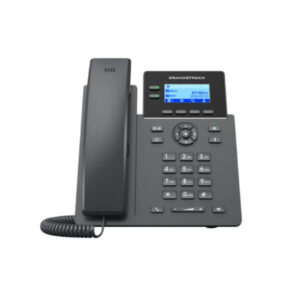
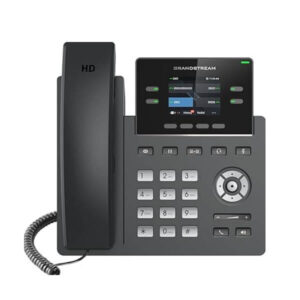
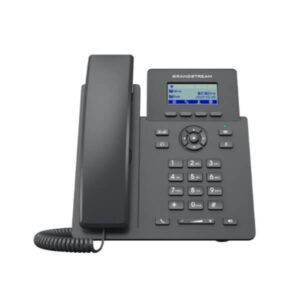
Avaya Desk Phones
Useful for reception, shared desks, meeting rooms, executives, and fixed office users.
Business Headsets
Recommended for softphone users who need clear audio and productive daily calling.
UC and Collaboration Tools
Helpful for teams that need calling, meetings, messaging, and managed collaboration.
Network Readiness Products
Switches, firewalls, Wi-Fi, and cabling may support stable voice performance.
Why Buyers Choose FourTeck.com
FourTeck.com focuses on practical technology procurement support for businesses that need clarity before ordering. With communication software, buyers often require more than a part number. They need help understanding license fit, existing platform compatibility, user roles, deployment needs, accessories, and support expectations. FourTeck.com can help turn these details into a cleaner quotation request and guide buyers toward suitable related products when the first request needs adjustment.
Guidance for communication, endpoint, networking, and infrastructure procurement.
Help reviewing user count, platform readiness, license options, and accessories.
Support preparing clear procurement details for current availability and pricing requests.
Assistance for UAE buyers and selected regional business technology inquiries.
Frequently Asked Questions
What is Avaya IX Workplace used for?
It is used as a unified communications and softphone client for supported Avaya environments. Businesses can use it to help users access calling and collaboration features from desktops or mobile devices, depending on platform compatibility, licensing, and administrator configuration.
Is it suitable for remote and hybrid workers?
Yes, it can be suitable for remote and hybrid users when the Avaya communication system, network access, security policy, and licenses support that usage. Buyers should confirm VPN or remote access requirements, endpoint compatibility, and audio accessory needs before rollout.
Can FourTeck.com help with licensing guidance?
FourTeck.com can help buyers collect the right information for a quotation, including user count, existing Avaya platform, required features, and device mix. Final licensing depends on Avaya environment, entitlement model, supplier terms, and selected user requirements.
Does it work on Windows and mobile devices?
Avaya Workplace Client is commonly associated with desktop and mobile access across supported platforms such as Windows, Mac, Android, and iOS. Current platform support should always be verified against the Avaya documentation and your business system version.
Do users need a headset?
A headset is strongly recommended for regular softphone users because it improves audio quality, privacy, and comfort. The right headset depends on daily call volume, office noise, connection type, laptop ports, and whether users work from office or remote locations.
Is pricing fixed for every customer?
Pricing can vary because licensing, user count, support terms, platform requirements, accessories, and project scope differ. Buyers should request a quotation from FourTeck.com with their environment details so the response matches their actual business requirement.
Can it replace desk phones?
It can reduce desk phone dependence for some users, but replacement should be planned carefully. Reception users, shared spaces, executives, and call-heavy staff may still need physical phones or better audio devices depending on workflow and reliability expectations.
What should I share before requesting a quote?
Share your Avaya system type and version, number of users, preferred devices, required features, remote access needs, headset requirement, delivery location, and whether the purchase is for a small addition or a wider deployment project.
Can businesses request bulk supply?
Yes, businesses can contact FourTeck.com for multi-user or project-based inquiries. Bulk requirements should include the number of users, departments, operating systems, accessories, deployment expectations, and any support or documentation requirements.
Need Help Choosing the Right Avaya Communication Option?
FourTeck.com can help you review Avaya Workplace availability, licensing options, compatibility questions, headset needs, warranty guidance, and delivery requirements for your UAE business.