FortiAP 241K in Dubai, UAE
Build a modern secure wireless edge with a tri-band Wi-Fi 7 access point designed for business environments that need 2.4 GHz, 5 GHz and 6 GHz client service, a dedicated scanning radio, multi-gigabit Ethernet and flexible Fortinet management. This model is aimed at indoor office, branch, retail, education, hospitality and campus projects where wireless performance must be planned together with switching, security policy and centralized operations rather than treated as a stand-alone consumer Wi-Fi purchase.
Request QuoteCheck UAE Availability
Quick Product Information
Fortinet
FortiAP 241K / FAP-241K regional SKU
Indoor enterprise Wi-Fi 7 access point
2×2 tri-band client radios plus dedicated scanning radio
1x 10/5/2.5/1GbE RJ45 plus 1x 1GbE RJ45
FortiGate, supported Fortinet cloud management, or FortiSASE depending on design
PoE or compatible DC power; confirm switch/injector mode for required features
Subject to regional code, quantity, supplier status and selected support
Indoor business wireless projects
Share floor plan, device mix, PoE switch and management requirement
Fast Decision Summary for IT and Procurement Teams
This access point is most useful when a project needs current-generation indoor wireless, 6 GHz readiness and Fortinet-oriented management without immediately moving to a larger 4×4 radio platform. It is a design component, not a coverage promise: final quantity and placement should be based on RF conditions, client density, wall materials, channel reuse, expected applications and regulatory rules.
Indoor branch, office, retail, education, hospitality and campus areas where Wi-Fi 7 clients and legacy devices will coexist.
Combines tri-band client service, dedicated scanning and high-speed wired uplink options in a centrally manageable Fortinet WLAN architecture.
Regional 6 GHz support, PoE budget, switch port speed, controller path, firmware compatibility and support subscription expectations.
FourTeck.com can help match access-point count, related switching, power accessories, Fortinet management options and procurement details to the project.
Product Overview
Modern business Wi-Fi is no longer only about placing an access point in the middle of a room and checking whether users can browse. New laptops, smartphones and collaboration devices are introducing Wi-Fi 6E and Wi-Fi 7 capability, while older 2.4 GHz and 5 GHz equipment remains in service. At the same time, security teams expect consistent identity controls, VLAN policy, visibility and centralized administration. The 241K fits this transition by providing client radios across all three current Wi-Fi bands while adding a fourth radio dedicated to scanning. That separation is valuable because the WLAN can continue to serve clients while the monitoring radio observes the RF environment.
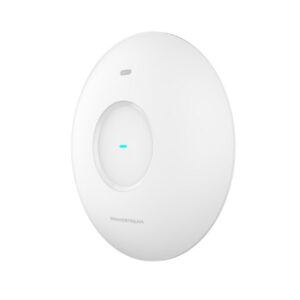
Fortinet lists the model as an indoor Wi-Fi 7, 2×2 access point with internal antennas. The three client-service radios cover 2.4 GHz, 5 GHz and 6 GHz, and the additional tri-band radio is used for scanning. The architecture gives organizations a path to introduce 6 GHz capacity without abandoning established wireless bands required by legacy endpoints, printers, handheld terminals or IoT equipment. Six internal Wi-Fi antennas keep the unit visually clean for ceiling or wall installation, while integrated BLE and ZigBee capability can support compatible locationing or device use cases within the wider Fortinet design.
The wired side matters just as much. A high-capacity access point can be constrained by a slow uplink, so this model includes a multi-gigabit Ethernet interface capable of up to 10GbE link speed as well as a separate Gigabit Ethernet port. For new projects, the switch design should be reviewed together with PoE requirements, cable category, uplink capacity and expected wireless traffic. Buying a Wi-Fi 7 access point while connecting it to an undersized switching layer may still be perfectly acceptable for some branches, but the limitation should be intentional rather than accidental.
UAE buyers should also treat 6 GHz availability as a regulatory design item. Channel availability and allowed power depend on the configured regulatory domain and local rules, so a quotation should identify the correct regional SKU rather than assuming that every global variant behaves identically. FourTeck.com can assist with this pre-purchase review, including the Fortinet management approach, support selection, mounting accessories and related switching requirements.
Key Business Benefits
◆ Wi-Fi 7 Transition Without Abandoning Legacy Bands
A mixed business environment rarely upgrades every device at once. Supporting 2.4 GHz, 5 GHz and 6 GHz allows the network team to keep older clients connected while creating newer capacity for compatible devices. This makes phased refresh projects easier to plan and avoids treating Wi-Fi 7 as an isolated upgrade that only benefits a small number of endpoints.
◆ Dedicated RF Scanning
The fourth radio is designed for scanning rather than normal client service. That gives wireless administrators a dedicated mechanism to observe the spectrum while the three service radios remain focused on connectivity. In a managed environment this can support better operational visibility, troubleshooting and wireless security monitoring without continuously repurposing a client-serving radio.
◆ Multi-Gigabit Wired Headroom
The primary Ethernet interface can negotiate multi-gigabit rates up to 10GbE, giving the access point room to move beyond a traditional 1GbE edge when the switch and cabling support it. This is useful for new builds where Wi-Fi capacity, local traffic patterns and future client improvements may otherwise expose a wired bottleneck.
◆ Centralized Fortinet Operations
Organizations already using Fortinet can align wireless policy and administration with the wider network. Depending on the chosen deployment, access points can be managed through supported FortiGate or Fortinet cloud services. This reduces the need to operate an unrelated management stack and helps IT teams standardize configuration across branches and buildings.
◆ Internal Antenna Deployment
Six internal Wi-Fi antennas support a clean installation profile suitable for offices, classrooms, meeting areas, customer-facing venues and other spaces where exposed antennas may be undesirable. Internal antennas also simplify ordering compared with external-antenna models, although placement, ceiling height and construction materials still require proper RF consideration.
◆ Better Upgrade Planning
A Wi-Fi refresh often exposes related infrastructure questions: is the switch multi-gig capable, can it deliver the required PoE class, are uplinks oversized correctly, and do endpoints support the desired band? Evaluating these items with the AP purchase gives procurement and IT a clearer upgrade roadmap instead of discovering dependencies during installation.
Product Highlights That Matter in a Business WLAN
The most important strength is the four-radio architecture: three 2×2 client radios operate across 2.4 GHz, 5 GHz and 6 GHz while a separate tri-band radio can scan the surrounding wireless environment. This matters because RF monitoring does not have to rely solely on a radio that is also trying to serve users. For security-conscious or centrally managed networks, that separation supports a cleaner operational model.
Channel widths differ by band. The 2.4 GHz radio supports 20/40 MHz, the 5 GHz radio supports wider channels including up to 240 MHz, and the 6 GHz radio supports channel widths up to 320 MHz where regulations and configuration permit. Fortinet’s current wireless product matrix lists maximum radio data rates of up to 688 Mbps on 2.4 GHz, 4.324 Gbps on 5 GHz and 5.765 Gbps on 6 GHz. These are radio link figures achieved under ideal conditions; they should not be treated as guaranteed application throughput.
The unit also provides a Type-A USB interface, an RS-232 RJ45 serial interface for management or service use, integrated Bluetooth Low Energy and ZigBee capability, ceiling or wall mounting support and Fortinet management choices. Multi-Link Operation is supported on K-series models with appropriate FortiAP software and compatible security configuration, helping Wi-Fi 7 clients use multiple links where the deployment is designed for it.
Technical Specifications
| Specification | Detail | Buyer Relevance |
|---|---|---|
| Brand | Fortinet | Fits Fortinet secure networking environments. |
| Wireless Standard | Wi-Fi 7 / IEEE 802.11be with backward-compatible standards | Supports current and earlier compatible client generations. |
| Form Factor | Indoor access point, internal antennas | Designed for indoor ceiling/wall deployment. |
| Radios | 4 Wi-Fi radios + BLE/ZigBee radio | Three client bands plus dedicated scanning. |
| Client Bands | 2.4 GHz, 5 GHz, 6 GHz | Supports mixed device estates and 6 GHz-capable clients where permitted. |
| Spatial Streams | 2×2 per client radio | Balanced indoor enterprise radio design. |
| Antennas | 6 internal Wi-Fi antennas + internal BLE/ZigBee antenna | Clean installation without external RF antenna selection. |
| Maximum Radio Rates | Up to 688 Mbps (2.4 GHz), 4.324 Gbps (5 GHz), 5.765 Gbps (6 GHz) | Theoretical vendor radio figures; real throughput varies. |
| Ethernet | 1x 10/5/2.5/1GbE RJ45 + 1x 1GbE RJ45 | Allows multi-gig edge design and secondary Ethernet connectivity. |
| Additional Interfaces | 1x Type-A USB, 1x RS-232 RJ45 serial | Supports compatible accessory/service workflows. |
| Maximum Power Consumption | 26.1 W | Use for PoE switch power-budget planning. |
| PoE | Current Fortinet matrix lists 802.3bt as the default full-feature PoE mode; supported injector options include 802.3bt and applicable 802.3at modes | Confirm power class and feature behavior before switching design is finalized. |
| SSID Support | Up to 24 simultaneous SSIDs | Actual SSID design should be kept operationally efficient. |
| SSID Modes | Local bridge, tunnel and mesh support | Supports several branch and campus architecture choices. |
| Per-Radio Client Capacity | Up to 512 clients on each client-service radio | Protocol capacity is not the same as recommended production density. |
| Management Options | FortiGate and supported Fortinet cloud/SASE management paths | Choose the operational model before licensing and rollout. |
| 6 GHz | Supported where local regulatory domain permits | Regional availability must be verified for UAE deployment. |
Configuration and Buyer Guidance
Before ordering, define the wireless requirement in operational terms rather than only requesting a model number. Start with the floor plan, expected number of active devices, application mix and working hours. A quiet branch with twenty laptops has a different airtime profile from a training room where dozens of users join video meetings at the same time. The same hardware can behave very differently depending on how much spectrum is available and how clients are distributed.
How many devices are active together?
Count active laptops, phones, scanners, tablets and IoT devices by zone, not only registered users.
What applications matter?
Voice, video, cloud desktops, large file transfers and real-time applications need more careful airtime and roaming planning than casual browsing.
Is the switch ready?
Confirm multi-gig port capability, PoE class, total power budget, uplink capacity and copper cable quality.
Which management model will be used?
Decide whether wireless will be controlled by FortiGate or a supported cloud/SASE method, then confirm licensing and firmware requirements.
Do clients support 6 GHz?
Inventory Wi-Fi 6E and Wi-Fi 7 clients and confirm the UAE regulatory domain before relying on 6 GHz capacity.
What accessories are needed?
Check mounting hardware, PoE injector or DC adapter needs, switching, cabling and FortiCare or cloud service requirements.
When requesting a quote from FourTeck.com, share the project location, building type, AP quantity if already estimated, existing FortiGate model, switch model, PoE budget, preferred management option, required support period and expected rollout date. This information helps reduce the risk of receiving a technically correct AP with the wrong regional code, unsuitable power method or missing supporting infrastructure.
Ideal Business Use Cases
Office and Collaboration Floors
Open-plan offices, meeting rooms and collaboration areas generate many short-lived connections as staff move between spaces and use laptops, phones and conferencing systems. A tri-band design can separate newer 6 GHz-capable endpoints from crowded legacy bands while retaining 2.4 GHz and 5 GHz service for older equipment. Placement should still be planned around room density, wall type and roaming requirements.
Branch and Retail Networks
Branches and retail locations may combine staff devices, guest access, handheld terminals, printers and operational systems on the same physical wireless infrastructure. The Fortinet management model can help keep SSIDs and policies consistent across locations, while the dedicated scanning radio adds visibility around each site. Final AP count should reflect store layout and expected client concurrency.
Education and Training Spaces
Classrooms, labs and training rooms often see concentrated periods of device activity. Wi-Fi 7 features can benefit modern student and instructor devices, but density planning remains more important than headline speed. Multiple APs may be required to provide enough airtime, and channel planning is essential when adjacent rooms are active at the same time.
Hospitality and Guest Areas
Business hotels, serviced offices and common guest areas need predictable connectivity across a mix of client generations. Internal antennas provide a discreet appearance, while centralized policy can simplify guest and staff WLAN separation. A professional RF design should consider room construction, corridors, floor-to-floor signal leakage and client roaming behavior.
Campus Department Refresh
Organizations modernizing one department or floor at a time can introduce Wi-Fi 7 in targeted areas while keeping the wider network on older standards. This phased approach can reduce replacement pressure, but the switching layer and controller software should be reviewed so new AP capability is not restricted by inherited infrastructure.
Fortinet Secure Networking Standardization
Where FortiGate and FortiSwitch are already part of the LAN design, adding Fortinet wireless can support a more unified operational approach. This is useful for IT teams that prefer common policy, visibility and lifecycle processes across wired, wireless and security infrastructure. The exact management and subscription path should be confirmed before procurement.
FortiAP 241K Wi-Fi 7 Radio Architecture
The defining design choice is not simply that the unit carries a Wi-Fi 7 label. It has three client-serving radios, one on each major WLAN band, plus a fourth radio dedicated to scanning. That lets administrators keep 2.4 GHz available for compatibility, use 5 GHz as a broad workhorse band and introduce 6 GHz for clients that support it. In practical terms, the access point can participate in a gradual migration rather than forcing an all-or-nothing client refresh.
The 2.4 GHz band is valuable for reach and compatibility but has limited spectrum. The 5 GHz band generally provides more channel options and remains widely supported. The 6 GHz band introduces cleaner spectrum and wide-channel opportunities for compatible Wi-Fi 6E and Wi-Fi 7 clients, but it also has different propagation characteristics and country-specific rules. A good design therefore uses each band intentionally instead of broadcasting identical expectations everywhere.
Wi-Fi 7 adds features such as Multi-Link Operation. Fortinet documents MLO support on K-series models when the access point software and security settings meet the required conditions. MLO-capable clients can use links across multiple bands, which can improve data rate, latency behavior or resilience depending on the client and configuration. The feature should be validated in the target firmware release before deployment, especially if MLO is a central project requirement rather than a future capability.
FortiAP 241K Multi-Gigabit Connectivity and PoE Planning
Wireless performance depends on the path beyond the radio. The primary RJ45 interface on this model supports link rates from Gigabit Ethernet through 2.5GbE and 5GbE up to 10GbE, while a second RJ45 port provides Gigabit Ethernet. That gives network architects flexibility when connecting the AP to modern access switches. A branch may initially operate the unit on a lower negotiated speed because internet or application traffic does not justify more; a campus refresh may choose multi-gig switching from day one to avoid replacing edge ports later.
PoE planning requires similar care. Fortinet’s current product matrix identifies 802.3bt as the default PoE approach for this model and lists a maximum power consumption of 26.1 W. Fortinet ordering references also show supported injector options for 802.3bt and applicable 802.3at use. Because lower-power operation can affect feature availability or radio behavior, the safest purchasing method is to match the switch or injector to the full intended operating mode rather than selecting power only by whether the AP turns on.
The total switch power budget matters in multi-AP projects. Ten access points each drawing a certain peak allocation can consume a significant portion of a PoE switch budget even when real usage is lower most of the time. Add IP phones, cameras and other powered devices, and the switch may be constrained before port count is exhausted. Procurement teams should therefore review port speed, PoE class, total watts, uplink capacity, power-supply redundancy and cable category together.
FortiAP 241K Centralized Management and Secure WLAN Operations
A business access point is most valuable when its configuration can be managed consistently. Fortinet positions FortiAP wireless within its secure networking architecture, with management options that include FortiGate and supported cloud or SASE services. This allows organizations to choose an operational model that matches their branch design, security architecture and administration preferences. The correct choice should be made early because licensing, onboarding workflow and feature availability can differ between management platforms.
For FortiGate-managed environments, wireless configuration can be aligned with the broader network security context. SSIDs, authentication, network segmentation and visibility can be managed as part of a Fortinet-centered deployment. Organizations that prefer cloud operations can review Fortinet’s current cloud-management offerings and service terms. Distributed businesses may find this helpful when a small IT team needs to maintain multiple sites without treating every branch as an isolated configuration project.
Security settings also matter for Wi-Fi 7 features. Fortinet documentation notes that MLO configuration is tied to supported secure authentication modes such as WPA3-based options or OWE in relevant firmware versions. That means a Wi-Fi 7 rollout should include client authentication compatibility, certificate or identity requirements, guest onboarding and legacy device handling. A feature is only useful when endpoint capabilities and policy can support it.
Operationally, the dedicated scanning radio can contribute to spectrum observation and wireless intrusion monitoring functions in the managed environment. Combined with centralized configuration, it gives administrators more context when diagnosing interference, rogue devices or coverage complaints. The exact monitoring and analytics capabilities should be confirmed against the selected Fortinet software and subscriptions.
What Should You Know Before Choosing This Wireless Access Point?
The questions below reflect the practical decisions that usually determine whether an enterprise access point will fit the project. They focus on deployment scale, wired infrastructure, client capability, management, licensing and rollout preparation rather than only headline radio specifications.
Is this model suitable for a small branch as well as a larger campus?
Yes, the hardware can appear in both environments, but the design method changes. A small branch may use one or a few APs with simple coverage goals, while a campus requires RF planning, channel reuse, roaming, switch capacity and centralized policy at larger scale. Do not use a fixed floor-area rule; use a site survey or predictive design for important deployments.
Will every user automatically get Wi-Fi 7 performance?
No. The client device must support the relevant Wi-Fi 7 features, and real performance depends on signal quality, channel width, interference, airtime sharing, application traffic and wired backhaul. Older Wi-Fi clients can still connect using supported legacy standards, but they will not gain capabilities that their own radios do not support.
Should I plan around the 6 GHz band?
Plan for it where compatible clients and local regulations support it, but do not make it the only capacity assumption. Many business devices still operate on 5 GHz or 2.4 GHz. The UAE regional code and allowed 6 GHz channels should be confirmed before purchase so the project does not depend on a band configuration that is unavailable in the selected regulatory domain.
Do I need a 10GbE switch port for each access point?
Not necessarily. The multi-gig port gives headroom, but the correct switch speed depends on expected aggregate traffic, internet capacity, local application traffic, client mix and growth plans. A lower negotiated rate may be enough for some branches. If you are building a new campus, reviewing multi-gig switching can reduce the chance of creating a wired bottleneck later.
What PoE capability should the switch provide?
Design for the operating mode you actually require. Fortinet’s current product matrix identifies 802.3bt as the default PoE mode for full operation, while supported injector references also include applicable 802.3at use. Confirm the switch class, per-port wattage and total PoE budget, especially if the same switch also powers cameras, phones or other access points.
Can it work with an existing FortiGate environment?
It is designed for Fortinet-managed wireless environments, including FortiGate-based control where the platform and firmware support the model. Before replacing an older AP, verify the FortiGate model, FortiOS release, desired WLAN features and any current controller limits. This avoids ordering new radios that require a software change the organization has not yet approved.
Which accessories or subscriptions may be needed?
Requirements depend on deployment. You may need a suitable PoE injector or switch, compatible DC power option, mounting accessories, FortiCare support and a cloud or SASE subscription if that management path is selected. Confirm what is included in the regional hardware package and what must be ordered separately before finalizing the bill of materials.
What should I check when replacing an older FortiAP?
Compare mounting, PoE class, switch port speed, controller firmware, SSID security, VLAN design and expected coverage rather than swapping by model name alone. A newer AP can draw more power, use additional spectrum and expose different client behavior. Reusing the same mounting position may also be suboptimal if the new radio plan introduces 6 GHz coverage goals.
What information should I send FourTeck for an accurate quote?
Share the site type, delivery location, approximate floor plan, quantity, expected active devices, Wi-Fi client generations, existing FortiGate and switch models, PoE capacity, preferred management path and desired support period. If the project is replacing an older AP estate, include the existing model list and known coverage issues so related infrastructure can be reviewed at the same time.
Business Requirements to Match Before You Buy
For an office moving to newer laptops
A suitable option when a growing share of endpoints support Wi-Fi 6E or Wi-Fi 7 and the business wants to introduce 6 GHz without losing compatibility with older devices. Confirm client capability and regional channel support first.
For a Fortinet-managed branch network
Useful where IT already manages FortiGate or related Fortinet infrastructure and wants wireless to follow a consistent operational model. Verify controller software and the selected management path before rollout.
For projects that need dedicated wireless scanning
The fourth radio can scan while the three service radios continue serving clients. This requirement is relevant to organizations that want more persistent RF visibility as part of their managed WLAN operations.
For a new multi-gig switching refresh
The 10GbE-capable primary interface can align with new access switches that offer multi-gig ports. Buyers should check cable grade, PoE class and switch uplink capacity instead of looking at port speed alone.
For phased campus modernization
Teams can deploy current-generation wireless in priority floors or departments while legacy devices remain on supported older bands. A consistent channel and roaming plan should connect each phase into the wider WLAN design.
For procurement teams comparing similar models
Compare internal versus external antenna needs, 2×2 versus 4×4 radio design, number of scanning radios, Ethernet speed, PoE needs, location rating and management support before choosing by price or model generation.
What Buyers Should Check Before Purchase
A successful wireless purchase connects the product choice to the real site. Start by confirming whether the project needs internal antennas, indoor placement and 2×2 radio design, then compare that against other Fortinet access-point options if the environment requires external antennas, outdoor protection or higher spatial-stream capacity. The correct regional SKU is also important because radio rules differ by country and 6 GHz operation is subject to regulatory approval.
Configuration Fit
Review client density, coverage zones, application traffic, Wi-Fi generations, roaming, guest access and expected growth. Do not size the project only from a maximum client number or theoretical radio rate.
Compatibility Check
Verify FortiGate or cloud-management compatibility, FortiAP firmware, PoE switch class, copper cabling, VLAN design, authentication method and any existing WLAN profiles that must be migrated.
Power and Uplink Design
Confirm per-port power, total switch PoE budget and required Ethernet link speed. If 10GbE or 5GbE is part of the project goal, verify that the switch and cable plant can negotiate that rate reliably.
Support and Lifecycle
Ask which FortiCare level and term apply, what support is included in the quoted package, and whether cloud-management services are separate. Warranty and support handling should be confirmed on the final commercial quotation.
Installation Requirements
Check mounting surface, ceiling height, cable route, local power availability, RF obstructions and whether a site survey is needed. A technically suitable AP can still underperform if placed for convenience rather than radio design.
Quote Preparation
Provide quantity, delivery location, current AP estate, FortiGate model, switch model, PoE budget, floor plan, device estimate, preferred support period and expected installation date. This makes model and accessory checking much more accurate.
Buyers replacing older wireless should also consider the long-term cost of associated switching and support. A new AP may trigger a multi-gig switch upgrade, additional PoE capacity, new cabling or software changes. Those costs are not reasons to avoid the upgrade; they are reasons to plan it as an infrastructure project. FourTeck.com can help review these dependencies so the quotation reflects a usable deployment rather than hardware only.
UAE Availability and Service Support
FourTeck.com supports wireless networking inquiries across Dubai and the UAE with product-selection assistance, configuration review, quote preparation, delivery coordination and warranty guidance. Availability can vary according to the regional product code, quantity required, Fortinet supplier status, support term and project timing. For that reason, the page does not assume a fixed stock position or delivery date.
For a simple order, send the required quantity, preferred delivery location and whether the project already has compatible PoE switching. For a larger rollout, include building drawings, access-point estimates, expected device density, existing FortiGate and FortiSwitch models, required management method and support duration. FourTeck can then help identify questions that should be resolved before the commercial quote is finalized.
Wireless projects frequently involve more than the AP itself. A correct quotation may include PoE injectors, access switches, mounting items, cloud-management subscriptions, FortiCare support or related firewall and network upgrades. FourTeck can help coordinate these components so procurement teams have a clearer view of the bill of materials and can avoid discovering missing accessories during installation.
Dubai, Abu Dhabi, Sharjah and Ajman Coverage
Businesses in Dubai, Abu Dhabi, Sharjah and Ajman can contact FourTeck.com for product availability checks, project quotations, configuration guidance and delivery coordination. The sales discussion can cover a single replacement AP, a new office deployment or a larger wireless refresh. For faster review, share the delivery city together with quantity, current Fortinet infrastructure, expected deployment date and any site-specific requirements such as ceiling type, restricted cable routes or after-hours installation planning. Availability and support terms should always be confirmed on the final quotation.
Regional Availability for GCC and Africa Projects
FourTeck.com also supports business technology inquiries for selected regional projects beyond the UAE. Customers managing multi-country networks may need consistent Fortinet models, support terms and documentation across Saudi Arabia, Qatar, Oman, Kuwait, Bahrain, Kenya, Uganda and other Africa-region locations. The practical challenge is that wireless regulatory codes, allowed channels, local delivery options and service handling can differ by country.
For multi-location deployments, prepare a country-by-country list showing site count, approximate AP quantity, existing Fortinet controllers or firewalls, desired support period and local rollout schedule. This lets the project team identify where regional SKU or regulatory differences may affect a common bill of materials. Availability, warranty handling and cloud-service eligibility should be confirmed for each destination rather than assuming one market’s terms apply everywhere.
Regional buyers can use the main FourTeck.com business technology site or the relevant regional channel such as FourTeck Kenya, FourTeck Uganda, FourTeck Africa or FourTeck Kuwait for location-specific inquiries.
Related Models and Network Components Buyers May Consider
A wireless access point should be compared with adjacent models and supporting network components before the order is finalized. The alternatives below are not ranked as universally better or worse; they address different antenna, density, location or security requirements. Exact specifications and availability should be checked on the relevant product page or quotation.
FortiAP 231K
Consider for indoor Wi-Fi 7 projects where a simpler three-radio 2×2 design may match the requirement.
FortiAP 243K
A related Wi-Fi 7 indoor model with external antennas, useful when antenna selection is part of the RF design.
FortiAP 441K
A higher-spatial-stream Wi-Fi 7 indoor option for projects where 4×4 radio capability is justified by density and client mix.
FortiGate 40F
A compact Fortinet firewall option for small branches that may also serve as part of a centrally managed secure networking design.
FortiGate 60F
Useful for buyers reviewing a larger compact branch firewall class alongside Fortinet wireless and switching.
Fortinet Network Security Portfolio
Explore firewall, switching and wireless options when the AP purchase is part of a wider branch or campus refresh.
Why Business Buyers Work With FourTeck.com
IT procurement becomes difficult when a model number looks simple but the deployment depends on regional codes, PoE classes, controller software, subscriptions, cabling and related infrastructure. FourTeck.com approaches the quotation as a buying-support process, helping customers identify the information that should be confirmed before an order is approved.
Assistance for single-device orders, branch rollouts and project-based supply requirements.
Review of model fit, management method, AP quantity assumptions, switching and related accessories.
Commercial quotation can be prepared around quantity, regional SKU, support period and delivery requirement.
Delivery planning is discussed against current supplier status, order size and final destination.
Support and warranty expectations can be checked against the quoted FortiCare or supplier terms before purchase.
Switches, firewalls, PoE accessories and alternative AP models can be reviewed when the project requires a wider solution.
FourTeck does not need to turn every inquiry into a complex design exercise. A straightforward requirement can remain straightforward. The value of the review is that project dependencies are surfaced when they matter, allowing the buyer to decide whether a simple hardware quote is enough or whether controller, power, support and RF planning should be included.
Frequently Asked Questions
What is this access point mainly used for?
It is designed for indoor business wireless networks that need Wi-Fi 7 connectivity, support for 2.4 GHz, 5 GHz and 6 GHz client bands, dedicated RF scanning and centralized Fortinet management. Typical environments include offices, branches, retail sites, education spaces, hospitality areas and campus departments. The final fit depends on client density, application traffic, site layout and the surrounding switching and security design.
Is it available for purchase in Dubai and the UAE?
FourTeck.com can check current UAE availability and prepare a quotation. Availability may vary by regional SKU, order quantity, supplier position and selected support term, so the page does not assume permanent stock. Send the required quantity, delivery location and expected project date to receive a current availability check and to confirm the correct regulatory variant.
Can FourTeck help determine how many access points are required?
FourTeck can help review the information needed for sizing, including floor plan, wall materials, ceiling height, expected active devices and application use. For important or higher-density projects, a site survey or predictive RF design is recommended. A simple square-meter rule is not enough because signal attenuation, interference and airtime demand vary significantly between buildings.
Does the access point require a FortiGate?
FortiGate is one supported management path, but Fortinet also provides supported cloud and SASE-oriented management options for this product family. The correct operational model depends on the customer’s network design and subscription choice. Before buying, confirm how the AP will be managed, which software versions are required and whether any additional service license is part of the intended deployment.
Can existing Wi-Fi 5 or Wi-Fi 6 devices connect?
The platform supports backward-compatible wireless standards, so older compatible clients can connect on supported bands. They will operate according to their own radio capabilities and will not gain Wi-Fi 7 features simply by joining a newer access point. During migration, keep legacy-device requirements in the channel and authentication plan, especially for printers, scanners and embedded devices.
What should be confirmed for PoE?
Check the per-port PoE class, total switch power budget and the operating mode required for the AP. Fortinet’s current matrix identifies 802.3bt as the default full-feature approach, while supported injector documentation also covers applicable 802.3at options. If the switch is shared with cameras and phones, calculate the total power allocation rather than checking only whether enough Ethernet ports are free.
Is 6 GHz operation guaranteed in every country?
No. Use of the 6 GHz band is subject to regional regulatory approval and the configured country code. Channel availability and transmit-power rules can differ between markets. UAE buyers should confirm the correct regional SKU and current local regulatory support before making 6 GHz capacity a core design assumption, especially in multi-country rollout projects.
Can businesses request bulk or project supply?
Yes. For project requests, provide the estimated quantity by site, rollout schedule, delivery destinations, support term and related switch or firewall requirements. FourTeck can help organize the quotation around a common bill of materials while identifying any country-specific wireless code or support differences that need separate treatment.
What details are most useful before asking for a quote?
Send quantity, delivery location, building type, floor plan if available, expected active device count, existing FortiGate and switch models, PoE capability, preferred management method and desired support period. If you are replacing an older WLAN, include current AP models and the main problems you want to fix. This helps FourTeck review accessories and compatibility at the same time as the hardware.
Need Help Planning Your Business Wi-Fi Upgrade?
Share your site size, access-point quantity, expected users and devices, current FortiGate or switching environment, PoE capability, preferred management option and delivery location. FourTeck.com can help review availability, related accessories, support choices and quotation requirements before the purchase is finalized.