Fortinet FortiSwitch 124F in Dubai, UAE
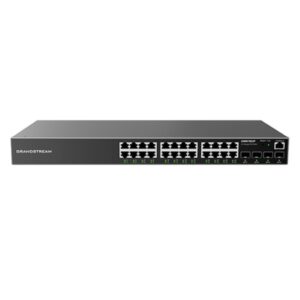
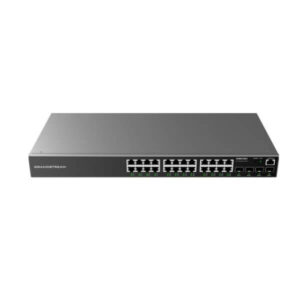
A compact 24-port managed access switch for business networks that need dependable Gigabit connectivity, four 10GE SFP+ uplinks, quiet fanless operation and a practical path into Fortinet-managed LAN architecture. The standard FS-124F is the non-PoE model, making it a strong fit where endpoints already have local power and the priority is clean switching, segmentation, uplink capacity and centralized administration.
✓ 4 x 10GE SFP+
✓ 128 Gbps Switching
✓ Fanless 1RU Design
Request Quote
Ask for Configuration Support
Quick Product Information
Fortinet
FS-124F
Managed secure access Ethernet switch
24 x 1GE RJ45
4 x 10GE SFP+
Not included on the standard FS-124F
1RU rack mount
Fanless
Business access switching, VLAN segmentation and 10G uplink connectivity
Offices, branches, departments, server rooms and Fortinet-centred networks
Fortinet lists a limited lifetime warranty; final coverage should be confirmed for the supplied unit and purchase route
Share quantity, uplink type, FortiGate model, rack location and delivery requirement with FourTeck.com
Fast Decision Snapshot for Network Buyers
The FS-124F is easiest to evaluate by matching three things: endpoint count, power requirements and uplink design. It gives twenty-four copper Gigabit access interfaces and four 10 Gigabit SFP+ slots, but no PoE on the base model. That makes it attractive when desktops, printers, servers, appliances and other attached equipment use their own power supplies. If the same cabinet must power wireless access points, IP phones or cameras, a PoE variant should be considered instead.
Managed office and branch access layers with up to 24 copper endpoints per switch.
Four 10G SFP+ interfaces create useful headroom for uplinks or aggregation.
Confirm whether any endpoint needs PoE. This model supplies none.
1RU rack mounting and fanless cooling suit quiet communications rooms and compact racks.
FortiSwitch can operate in Fortinet-managed architectures; confirm controller, firmware and FortiLink design during planning.
Port mapping, optics, rack, cable, FortiGate compatibility and alternative-model review before quotation.
Product Overview
The FortiSwitch 124F is designed for organizations that want a manageable wired access layer without paying for power delivery they do not need. In a typical business network, an access switch sits between everyday devices and the wider LAN or security edge. Desktops, printers, local servers, building systems and other Ethernet devices connect to the copper access ports, while faster uplink interfaces connect the switch toward a firewall, distribution switch, aggregation point or another part of the network. This model combines twenty-four standard Gigabit RJ45 ports with four 10GE SFP+ interfaces, providing a clear separation between edge connectivity and higher-capacity backbone links.
That port layout is useful for small and midsize networks, departmental cabinets and branch environments where 1Gbps remains appropriate for user endpoints but the uplink should not become the bottleneck. A single Gigabit uplink can become restrictive when many active devices are sharing files, using cloud services, making voice or video calls, accessing business applications or moving backups. The presence of four 10G SFP+ slots gives network designers more choices for fiber, supported direct-attach connectivity or multiple high-speed links, depending on the approved transceiver list and topology.
The base FS-124F is intentionally different from the FS-124F-POE and FS-124F-FPOE. It has no PoE access ports and no PoE budget. This distinction matters during procurement because model names are similar, yet the deployment outcome is very different. If the switch will connect powered devices such as Wi-Fi access points, IP cameras or phones and those devices are expected to receive electricity over Ethernet, the buyer should select a PoE-capable variant or use appropriate external power. For ordinary PCs, printers and many server or appliance connections, non-PoE access can simplify the power design and lower switch power consumption.
Fortinet positions FortiSwitch as part of its secure networking portfolio, with management choices that can include FortiOS through FortiLink as well as standalone or other supported Fortinet management approaches. In a FortiGate-centred environment, this can help an IT team coordinate switch configuration and network security from a more integrated operational model. The exact management architecture should be planned against the FortiGate model, FortiOS and FortiSwitchOS versions, number of switches and required resiliency features.
For UAE buyers, the value is not just the hardware specification. Network refresh projects frequently fail because the switch is selected by port count alone. FourTeck.com can help review cabinet space, endpoint numbers, existing FortiGate hardware, VLAN requirements, optical transceivers, cable type, uplink distance, support expectations and future expansion. This makes the quotation process more useful for IT teams and procurement departments that need to know whether the selected switch actually fits the site before approval.
Key Business Benefits
A business switch should be judged by how well it supports the operational plan, not by the number of ports printed on the front panel. The benefits below connect the confirmed hardware capabilities of the FS-124F with practical network outcomes.
◆ 10G Uplink Headroom
Four 10GE SFP+ interfaces give network teams room to build faster paths toward a firewall, distribution layer or backbone. This matters when many Gigabit users share the same upstream connection. Correct optics and topology still need to be selected for distance and compatibility.
◆ Quiet Fanless Operation
The standard model is fanless. That can be valuable in offices, meeting-area cabinets, reception back rooms and other places where switch noise is undesirable. Fanless operation also removes a moving cooling component, although airflow and operating temperature requirements must still be respected.
◆ Efficient Access-Layer Fit
Twenty-four Gigabit RJ45 ports are a practical density for a department, branch or communications cabinet. Buyers can group users and devices without moving immediately to a 48-port platform when the physical endpoint count does not justify it.
◆ Lower Power Profile
Fortinet lists average and maximum switch power draw at roughly 24.8 W and 26.3 W for this non-PoE model. That is useful for rack power planning when the connected devices do not need to be powered from the switch.
◆ Segmentation and Control
Support for up to 4K VLANs, ACL resources, spanning-tree instances and link aggregation gives administrators building blocks for structured access networks. The actual network policy should be designed around the business, security and firmware requirements rather than enabling features by default.
◆ Fortinet Ecosystem Alignment
Organizations already using FortiGate can evaluate FortiLink-based switch management to simplify visibility and administration. This can reduce the operational gap between the security gateway and wired access layer when the design is supported and configured correctly.
For procurement teams, these benefits also make comparison easier. A cheaper unmanaged switch may provide basic connectivity but not the same operational control, segmentation or Fortinet integration. A larger or PoE-capable model may offer more functions than required and increase cost, heat or power planning. The correct choice is therefore the switch that fits the real number of endpoints, uplink demand, management approach and expected growth.
Product Highlights
Designed for standard 1GbE copper endpoint connectivity across office and branch networks.
Useful for higher-speed uplinks, fiber paths or compatible direct-attach links where the network design requires them.
Provides the internal switching capability specified by Fortinet for the 124F family.
Supports high packet-forwarding demand within the stated platform specification.
A practical fit for racks where noise and physical depth matter.
Avoids paying for switch-side power delivery when connected devices do not require it.
Other useful platform specifications include a 32K MAC address table, support for up to 4K VLANs, 16 total link aggregation groups with up to 8 interfaces per group, 32 spanning-tree instances, 2 MB packet buffering, 512 MB DDR3 memory and 64 MB flash. These figures help infrastructure teams understand the scale at which the switch is designed to operate, but they should not be treated as a substitute for topology planning. A business should still map the number of users, active devices, trunk links, security zones and failure scenarios.
The switch uses an integrated AC power supply and supports 100–240V AC at 50–60Hz. There is no redundant power supply on this model. That is an important point for environments where switch-level power redundancy is mandatory. A single-switch branch may instead rely on a protected UPS circuit, while critical environments may choose a different switch family or architecture that supports the required redundancy. FourTeck.com can help compare those requirements before the purchase is finalized.
Technical Specifications
| Specification | FS-124F Detail |
|---|---|
| Brand / Model | Fortinet / FS-124F |
| Product Type | Managed secure access Ethernet switch |
| Network Interfaces | 24 x GE RJ45 + 4 x 10GE SFP+ |
| Console | 1 x RJ45 serial console port |
| Dedicated Management Port | None |
| PoE | 0 PoE ports; 0 W PoE budget on standard model |
| Switching Capacity | 128 Gbps duplex |
| Packet Forwarding | 190 Mpps duplex |
| Network Latency | Less than 1 µs |
| MAC Address Storage | 32K |
| VLANs Supported | Up to 4K |
| Link Aggregation | Up to 8 interfaces per group; 16 total groups |
| Spanning Tree Instances | 32 |
| Packet Buffer | 2 MB |
| Memory / Flash | 512 MB DDR3 / 64 MB flash |
| ACL | 640 |
| Form Factor | 1RU rack mount |
| Dimensions | 44 x 230 x 330 mm (H x D x W) |
| Weight | 2.03 kg |
| Power Input | 100–240V AC, 50–60Hz; built-in AC power supply |
| Redundant Power | No |
| Power Consumption | 24.8 W average / 26.3 W maximum |
| Operating Temperature | 0°C to 45°C |
| Storage Temperature | -20°C to 70°C |
| Humidity | 10% to 90%, non-condensing |
| Cooling / Airflow | Fanless; side-to-back airflow direction listed by Fortinet |
| Certifications | FCC, CE, RCM, VCCI, BSMI, UL, CB, RoHS2 |
| Warranty | Fortinet datasheet lists limited lifetime warranty; terms and eligibility should be confirmed for the actual purchase route |
When choosing a configuration, begin with the devices that must connect today and the expected growth over the next three to five years. A 24-port switch may be enough for a team of fifteen to twenty devices while leaving room for printers, uplinks and future users, but it may be too small if the same cabinet must serve additional access points, cameras, phones or building systems. Because the base model has no PoE, every powered endpoint should be checked before purchase. Next, define the uplink type. The four SFP+ slots support high-speed connectivity, but the transceiver or cable must match both ends of the link and the distance involved. Finally, confirm the management mode, firmware compatibility and FortiGate architecture if FortiLink control is planned. These checks prevent common procurement mistakes such as ordering the correct switch family but the wrong power variant or optics.
Configuration and Buyer Guidance
A network switch should be purchased as part of a design, not as an isolated box. Before requesting a quote, map every device that will connect to the cabinet and identify whether it uses standard Ethernet, needs PoE, requires a particular VLAN, or carries traffic that should be isolated. This immediately shows whether twenty-four access ports are sufficient and whether the non-PoE FS-124F is the right member of the family.
How many wired devices?
Count PCs, printers, servers, phones, cameras, access points, controllers and appliances separately. Reserve practical spare capacity for expansion.
Do any devices need PoE?
If yes, determine the number of powered ports and total power budget before choosing a PoE variant. The standard FS-124F has no PoE output.
What uplink speed and media?
Confirm whether the path is copper DAC or optical fiber, the link distance, connector type and transceiver compatibility on both devices.
How will it be managed?
Define standalone management or a Fortinet-managed architecture. If FortiLink is planned, include the FortiGate model and software versions in the design review.
What resilience is required?
This switch has a single built-in AC power supply and does not support redundant power. Critical sites should plan UPS protection and topology redundancy accordingly.
What accessories are missing?
SFP/SFP+ modules, DAC cables, fiber patch cords, copper patch leads, rack hardware and UPS capacity may be required depending on the site.
For an accurate FourTeck.com quotation, share the switch quantity, current firewall or core switch, number of endpoints, required uplink speed, fiber distance if applicable, whether PoE devices are present, rack location, preferred support expectations and destination. If this unit is replacing an older switch, include the current model and a brief description of the existing VLANs, trunk links and any link aggregation. That information helps identify whether the replacement can be introduced with minimal architecture changes or whether the project should include a different FortiSwitch model.
Ideal Business Use Cases
This switch is most useful in environments where standard Gigabit access is appropriate and endpoint power is handled separately. The following scenarios show how the hardware can fit real business networks without assuming capabilities beyond the confirmed specification.
Departmental Office Switching
A finance, operations, engineering or administration department can use the 24 copper ports for desktops, printers and local appliances while using a 10G uplink toward the building distribution layer. VLANs can help separate departments or device types when the wider network design supports that segmentation.
Branch Office LAN
A branch with locally powered endpoints can deploy the switch as the wired access layer. Combined with a suitably sized FortiGate and a planned uplink, it can support a structured branch architecture without adding PoE hardware where it is not required.
Server Room Access
The switch can connect management interfaces, appliances and standard Gigabit network devices in a small server room. The 10G SFP+ ports are useful when the upstream network requires faster aggregation. Server data-path suitability should still be checked against traffic requirements.
Retail or Hospitality Back Office
Where point-of-sale support systems, office PCs, printers and controllers use local power, a managed non-PoE access switch can provide organized connectivity while keeping guest, staff and operational networks logically separated through the wider VLAN design.
Education and Training Rooms
Computer labs, training suites and administration areas often need a moderate number of wired ports with centralized management. The fanless design can be helpful when the network cabinet is near occupied rooms.
Fortinet-Centred Network Refresh
Organizations already using FortiGate can evaluate this model during a wired LAN refresh when they want Fortinet ecosystem alignment. Management mode, FortiLink topology, supported software and resiliency requirements should be validated before rollout.
It is less appropriate for projects that depend heavily on powering endpoints directly from the switch, require multi-gigabit access ports, need redundant internal power supplies, or need a specific high-availability feature not supported by the 1xx family. In those cases, the requirement should drive the model choice rather than forcing the FS-124F into a role it was not designed to fill.
FortiSwitch 124F Access Performance and 10G Uplinks
The most important performance characteristic of this model is the balance between twenty-four Gigabit access ports and four 10 Gigabit SFP+ interfaces. Most office endpoints still operate comfortably at 1Gbps. A workstation running productivity applications, a network printer, a management controller or many common business appliances may not need a multi-gigabit edge connection. The problem appears when many such devices share an undersized uplink. Cloud synchronization, video meetings, backups, shared files, database sessions and security traffic can aggregate quickly even when no individual user is saturating a port.
Four 10GE SFP+ interfaces give the network designer options. One may be used as the primary uplink to a FortiGate or distribution switch, while others can support additional network paths, aggregation or future expansion where the topology and software support it. Link aggregation can also be used in appropriate designs, with Fortinet specifying up to eight interfaces in an aggregation group and sixteen groups on the platform. The exact use of these uplinks should be driven by the upstream equipment, supported transceivers, failure model and bandwidth requirements.
Optics selection is a procurement detail that should not be left until installation day. A buyer needs to know whether the connection uses multimode fiber, single-mode fiber or direct-attach copper, how far the link must travel and what module is supported by both ends. A 10G SFP+ slot does not automatically make every SFP or SFP+ transceiver suitable. Fortinet publishes compatible transceiver guidance, and the approved module should be checked against the switch and current software release.
FortiSwitch 124F Management, Segmentation and Fortinet Integration
A managed switch becomes useful when administrators can do more than simply connect devices. The FS-124F provides the platform resources needed for structured network segmentation, including support for up to 4K VLANs, ACL entries, spanning-tree instances and link aggregation. In practical terms, a business can design separate logical networks for departments, servers, guests, building systems or other device groups, provided that the firewall, routing and security policy are configured to handle traffic between those networks correctly.
Fortinet’s switching portfolio supports multiple management approaches. In an environment built around FortiGate, FortiLink can extend management into the wired access layer so administrators can coordinate FortiSwitch configuration through the Fortinet security architecture. This can simplify operational visibility because network and security teams are not treating the switch as a completely separate island. It can also support more consistent deployment when several branches use a common architecture. Buyers should confirm the supported FortiGate model, FortiOS/FortiSwitchOS versions and recommended topology before assuming that every deployment behaves the same way.
Segmentation is especially useful for businesses that have mixed device populations. Finance PCs, general staff systems, guest networks, printers, cameras and building-control equipment should not necessarily share one flat broadcast domain or security policy. A managed switch can provide the access-layer VLAN assignment, while the firewall or routing layer enforces the required policy. This reduces the risk of accidental exposure and makes troubleshooting easier because administrators can understand where a device belongs.
One important design limitation is that Fortinet documentation for the 1xx series states that these models do not support MCLAG. If a project requires multi-chassis link aggregation for a particular redundant architecture, that requirement should be identified early and a more suitable switch family considered. This is a good example of why a model should not be selected purely from port count and switching capacity.
FortiSwitch 124F Fanless Design, Power Planning and Deployment Fit
The standard FS-124F is fanless and comparatively shallow at 230 mm deep. These characteristics can matter more than they first appear. Many branch offices and departmental networks use compact wall-mount cabinets or racks located near workspaces. A deep or noisy switch can make installation awkward, while a fanless 1RU unit is easier to accommodate in quieter areas. The cabinet still needs adequate ventilation, and the specified operating temperature of 0°C to 45°C should be respected.
Power planning is also straightforward because this model does not deliver PoE. Fortinet specifies an average switch consumption of 24.8 W and a maximum of 26.3 W. For a UPS calculation, this lets the network team account for the switch itself separately from the power consumed by endpoints. However, the switch has one built-in AC power supply and no redundant power option. A site that requires continuous operation should therefore look at the quality of the UPS, power circuit and wider network redundancy rather than assuming the switch itself has dual power feeds.
The absence of PoE is a benefit only when it matches the endpoint design. If phones, cameras or access points need power over the network cable, using external injectors for many devices can create more complexity than choosing the appropriate PoE switch from the start. Conversely, if every endpoint already uses local power, paying for a larger PoE power supply and cooling system may not add value. This is why the base model can be a clean choice for user access, server-room management connections and other non-powered Ethernet devices.
For deployment, buyers should confirm rack rails or ears included with the supplied package, AC cable requirements, patch-panel position, cable management, SFP+ modules and the available rack depth. They should also decide whether the installation is a new network or a replacement. Replacement projects may require a configuration migration plan, maintenance window and rollback path. FourTeck.com can help structure those questions before the hardware arrives.
What Should You Know Before Choosing This Switch?
The questions below reflect the issues business buyers usually need answered before a managed switch can be approved. They focus on fit, compatibility, expansion and deployment rather than model-name shopping alone.
Is this switch suitable for a typical office or branch?
Yes, when the site needs up to twenty-four standard Gigabit copper access ports and does not require PoE from the switch. It is particularly relevant where the uplink should be faster than the user ports, because four 10GE SFP+ slots are available. Count all devices and leave spare ports for reasonable growth before deciding that one unit is enough.
What if my access points, phones or cameras need PoE?
Choose a PoE-capable design instead of assuming the base FS-124F will power them. The standard model provides zero PoE ports. Fortinet offers related 124F PoE variants with different powered-port counts and budgets. Calculate how many endpoints need power and their total wattage before selecting between non-PoE, partial-PoE and full-PoE options.
Can I use the SFP+ ports with my existing fiber?
Potentially, but the fiber type and transceiver must match the link. Confirm whether the existing cabling is multimode or single-mode, the distance between devices, connector type and the module supported by both ends. If the link currently uses 1G optics, check Fortinet’s compatibility guidance rather than assuming every older SFP can be reused.
Will it work with an existing FortiGate?
FortiSwitch can be used in Fortinet-managed architectures, including FortiLink designs, but compatibility should be checked against the specific FortiGate model, available ports, FortiOS release and intended topology. Share those details before purchase if centralized switch management is important. This is especially relevant when replacing an older switch in a production FortiGate environment.
How much expansion room should I plan?
Avoid filling all twenty-four access ports on day one. Growth may come from new staff, printers, security appliances, building devices or a second uplink. If the starting requirement is already close to full capacity, compare a 48-port model or a multi-switch design. The right spare capacity depends on how predictable the site’s growth is.
Does it provide redundant power?
No. The standard unit has a built-in AC supply and no redundant power option. For important sites, plan a reliable UPS circuit and consider how the network remains available if the switch or power feed fails. A project that specifically requires dual power supplies should evaluate another switch family rather than trying to work around that requirement.
Can I use it in a redundant MCLAG design?
Not for a design that specifically depends on MCLAG. Fortinet documentation for the FortiSwitch 1xx family notes that these models do not support multi-chassis link aggregation. If MCLAG is a mandatory resilience requirement, identify that before ordering and select a FortiSwitch family that supports the intended topology.
What accessories should be included in the quote?
Include the uplink optics or DAC cables, appropriate fiber or copper patch leads, rack accessories, cable-management items and UPS capacity where required. For a replacement project, also confirm whether new patching or labeling is needed. A complete bill of materials avoids receiving the switch while the essential uplink component is still missing.
What should I share with FourTeck for an accurate quotation?
Share the model and quantity, delivery location, current switch or FortiGate model, number of devices, PoE requirement, uplink speed, fiber distance, transceiver preference, rack environment and expected support or deployment scope. For multi-site projects, include the number of branches and whether a standardized configuration will be repeated across locations.
Business Requirements to Match Before You Buy
For a 24-port office access layer
A suitable option when standard Gigabit user ports meet the endpoint need and the organization wants faster 10G uplinks. Leave spare access ports so routine expansion does not force an immediate second switch.
For quiet rack locations
Fanless operation helps where the communications cabinet is close to occupied areas. Check rack depth, ventilation and ambient temperature instead of treating fanless as permission to install the switch in an unventilated enclosure.
For FortiGate-aligned management
Organizations using Fortinet security can consider FortiLink-based management. Confirm the existing FortiGate, ports, software versions and topology before ordering so the switch is planned as part of the same operational architecture.
For a non-PoE wired environment
The base model fits desks, printers and appliances that use their own power. Buyers with powered network endpoints should not use the non-PoE model simply because the port count matches.
For a switch replacement project
Compare the old device’s VLANs, trunks, LAGs, optics and management method. A replacement can have the same number of ports and still require configuration changes or new transceivers.
For procurement standardization
Multi-site buyers can standardize a common access-switch model where branch requirements are similar. First verify that every location has comparable port counts, PoE needs, uplink media and rack conditions.
What Buyers Should Check Before Purchase
The most common switch-ordering errors are not caused by obscure specifications; they happen when a visible requirement is left unconfirmed. A buyer orders twenty-four ports but later discovers that eight devices need PoE. A network team assumes existing optics can be reused even though the new uplink is 10G and the old module is not compatible. A procurement department replaces a switch by model class without checking that the legacy topology uses a resilience feature the new platform does not support. These issues are avoidable when the technical and commercial checks are completed together.
Configuration Fit
Confirm access-port count, future growth, VLAN design, uplink speed and whether the network requires one switch or multiple cabinets. Twenty-four ports are useful only when they match the endpoint plan.
Power Requirement
List every device that needs electricity over Ethernet. The base model provides none, so PoE endpoints require a different variant or separate power arrangement.
Optics and Cabling
Specify media type, distance, connector, fiber mode and target speed. Choose supported transceivers for both ends rather than assuming an available SFP is suitable.
Management Compatibility
If FortiLink management is required, confirm FortiGate model, software version, interface availability and recommended topology. For standalone use, define who will own configuration and monitoring.
Resilience and Power
The device has no redundant PSU and the 1xx family does not support MCLAG. If either capability is a project requirement, choose the architecture and switch family accordingly.
Warranty and Lifecycle
Fortinet lists limited lifetime warranty coverage for this model family, but buyers should confirm eligibility, support process and product lifecycle status against the exact unit and supply route at the time of order.
Long-term cost also includes items that may sit outside the switch itself. Consider optics, patching, rack work, UPS capacity, support expectations, configuration effort and replacement planning. For a multi-site rollout, standardization can simplify operations, but only when each branch has similar requirements. If one site needs extensive PoE and another does not, using the same model everywhere may create unnecessary expense or functional gaps. FourTeck.com can review a bill of materials and help identify where a base model, PoE variant, higher port-count switch or different Fortinet family makes more sense.
UAE Availability and Service Support
FourTeck.com supports Dubai and UAE business inquiries for Fortinet networking equipment with product-selection guidance, configuration review, quote preparation, delivery coordination and warranty direction. Availability can vary with supplier status, quantity, current lifecycle position and the accessories required for the project, so the safest approach is to request a live quotation rather than assume a product is immediately available.
For this switch, the quotation discussion should include whether the order is hardware-only or part of a wider Fortinet refresh. A complete project may require supported SFP or SFP+ modules, direct-attach cables, fiber patching, copper patch leads, rack accessories, a UPS, FortiGate integration or professional configuration. FourTeck can help review those dependencies before commercial approval so the hardware does not arrive without the components needed to connect it.
Warranty handling also depends on the supply route and applicable manufacturer terms. Fortinet’s product documentation identifies limited lifetime warranty coverage for this model family, but final entitlement and support procedure should be checked for the exact product and order. Buyers with internal support standards should include those expectations in the request for quotation.
Dubai, Abu Dhabi, Sharjah and Ajman Coverage
Businesses in Dubai, Abu Dhabi, Sharjah and Ajman can contact FourTeck.com for availability checks, configuration guidance and quotation support. A branch-office order may involve one switch and a pair of uplink modules, while a corporate refresh may require several switches, standardized configurations, staged delivery, rack planning and coordination with existing FortiGate appliances.
The most useful information to provide is the delivery location, switch quantity, existing network equipment, endpoint count, PoE requirements, uplink type and target implementation date. For replacement projects, include the old model and any important VLAN, trunk or aggregation details. This allows the sales and technical discussion to focus on whether the selected unit fits the requirement rather than simply confirming a part number.
GCC and Africa Availability
FourTeck.com also supports regional business technology inquiries for organizations coordinating projects across the GCC and Africa. Companies with sites in Saudi Arabia, Qatar, Oman, Kuwait or Bahrain may need common switching standards across branches, while businesses with operations in Kenya, Uganda and other African markets may require staged procurement or matched network designs across countries. Availability, logistics, warranty handling and configuration support can differ by destination and should be confirmed before the project schedule is finalized.
Regional standardization is useful when each site has similar access-port, uplink and management needs. However, one branch may need PoE for wireless access points while another uses only locally powered devices. The correct procurement plan can therefore mix models while keeping a common Fortinet management approach. FourTeck can help document those differences before quotation.
For region-specific inquiries, buyers can also review FourTeck’s related FortiSwitch option for Africa, use FourTeck Kenya for Kenya-linked projects, or FourTeck Uganda for Uganda inquiries. Each regional requirement should be quoted against its own delivery and support conditions.
Other Fortinet Options Buyers May Consider
The right alternative depends on why the current model is being considered. If the concern is powered endpoints, the closest discussion is a 124F PoE variant. If the network is being redesigned around a Fortinet security edge, the switch should be matched with an appropriately sized FortiGate. Buyers can also compare newer or larger switching families if they need multi-gigabit access, more ports, different high-availability features or higher uplink scale.
FS-124F-POE Direction
Consider when some attached devices need PoE+ and a 185 W class power budget fits the project. Confirm the exact number of powered ports and endpoint wattage.
FortiGate 30G
A compact firewall option for smaller branch security requirements. Pairing decisions should be based on internet speed, users, inspection load and FortiLink design.
FortiGate 90G
Useful to compare when a growing branch needs a stronger Fortinet security gateway and centralized network design around switching and wireless.
FortiGate 120G
A higher-capacity security platform for larger office or branch designs. Appropriate firewall sizing should be completed independently of switch port count.
A suitable alternative is not automatically the model with more ports or a higher price. It is the one that closes the gap in the current requirement. If the only missing capability is PoE, a related 124F PoE variant may be enough. If the requirement includes higher access speeds or a different redundancy design, a newer FortiSwitch family may be more appropriate. FourTeck.com can review these trade-offs before the purchase decision.
Why Business Buyers Contact FourTeck.com
Business technology purchasing often crosses several teams. The network administrator understands VLANs and uplinks, procurement needs the correct part number and commercial terms, finance wants clarity on total project cost, and management wants confidence that the solution will support the business. FourTeck.com helps turn those separate concerns into one structured product conversation.
Product sourcing discussions for single devices, branch requirements and multi-unit projects.
Review of port count, PoE need, uplinks, optics, rack, FortiGate integration and growth.
A clearer bill of materials based on the actual network requirement rather than only a model name.
Commercial and delivery planning based on destination, quantity and supplier status.
Assistance understanding applicable warranty and support expectations for the supplied product.
Help comparing the old network design with current Fortinet options when a direct replacement is not the best fit.
This approach is useful for SMBs, enterprise IT departments, consultants, resellers and project teams. A reseller may need a precise bill of materials for a customer proposal. A consultant may need to confirm whether the switch supports a required topology. An internal IT team may need to standardize branches while avoiding PoE or optics mistakes. FourTeck.com can support those discussions without assuming that every project needs the same configuration.
Buyers can also explore FourTeck.com business technology solutions for related networking, security and infrastructure requirements.
Frequently Asked Questions
What is the FS-124F mainly used for?
It is a managed access switch for business networks that need 24 Gigabit Ethernet copper ports and four 10GE SFP+ uplinks. It can connect office endpoints, printers, appliances and other locally powered Ethernet devices while providing managed VLAN, aggregation and spanning-tree capabilities for a structured LAN. Suitability depends on the actual topology and endpoint requirements.
Does the standard FS-124F provide PoE?
No. The standard FS-124F has zero PoE ports and no PoE power budget. Fortinet offers separate 124F variants for projects that need powered Ethernet. Buyers should count access points, IP phones, cameras and other powered devices and calculate the required power budget before deciding which variant to order.
Can FourTeck.com help choose SFP+ modules?
Yes. The selection should be based on the link speed, fiber type, distance, connector and compatibility with both the FS-124F and the device at the other end. Share the existing cable type and approximate distance when requesting a quote so the uplink can be reviewed as part of the bill of materials.
Can this switch be managed through FortiGate?
FortiSwitch supports Fortinet-managed architectures including FortiLink. The exact deployment should be checked against the FortiGate model, available interfaces, FortiOS and FortiSwitchOS versions and intended topology. If centralized management is a requirement, include the current firewall details in the quotation request so compatibility can be reviewed.
Is the switch fanless?
Yes, the standard FS-124F is fanless. This makes it useful for racks or communications areas where acoustic noise matters. The switch still needs an installation environment within the specified temperature and humidity range, and the cabinet should provide reasonable ventilation even though there are no active cooling fans inside the unit.
Does it support redundant power or MCLAG?
The FS-124F has a single built-in AC power supply and does not provide redundant power. Fortinet documentation for the 1xx series also states that MCLAG is not supported. Buyers with strict high-availability requirements should identify the required failure model first and consider a different FortiSwitch family or topology where necessary.
Is the FS-124F available in Dubai and the UAE?
FourTeck.com can check current sourcing options and prepare a quotation for UAE requirements. Availability can change with supplier status, quantity, lifecycle and accessory selection, so no fixed stock claim should be assumed from the product page. Share the required quantity, destination and target delivery schedule for a current response.
What warranty applies to this switch?
Fortinet’s Secure Access datasheet lists limited lifetime warranty coverage for the 124F family. Actual eligibility, RMA process and any support entitlement depend on the product, purchase route and applicable Fortinet terms. Buyers with a defined support requirement should ask FourTeck.com to confirm the warranty and support position during quotation.
What details should I provide for a bulk or project quote?
Provide quantity, destination, number of branches, port count per site, PoE requirement, uplink type, fiber distance, current FortiGate or core switch, rack constraints, expected rollout date and support needs. Multi-site buyers should also say whether each branch uses the same design or whether some locations require different switch variants.
How do I request a quotation from FourTeck.com?
Use the FourTeck.com contact page and include the model, quantity, delivery location and technical details that affect the order. If you are unsure whether the non-PoE model is correct, include your endpoint list and existing firewall or switch model. FourTeck can then review the requirement before preparing the commercial response.
Need Help Finalizing the Right Fortinet Switch?
Share your port count, PoE requirement, FortiGate model, uplink type, fiber distance, rack environment, quantity and destination. FourTeck.com can help review the switch family, required accessories, current availability, warranty guidance and quotation details before you place the order.