Fortinet FortiSwitch 424E-Fiber in Dubai, UAE
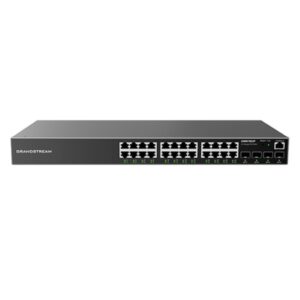
Built for environments where fiber is a deliberate part of the LAN design, this 1RU managed switch combines 24 Gigabit Ethernet SFP interfaces with four 10 Gigabit Ethernet SFP+ uplinks. It can serve as a compact fiber access or aggregation platform for offices, campuses, data rooms, buildings, and distributed network cabinets that need flexible optical reach, low-latency switching, and practical integration with Fortinet networking and security workflows.
Request QuoteAsk for Configuration Support
Quick Product Information
Fortinet
FS-424E-FIBER
Managed Layer 2/3 fiber switch
24 × GE SFP
4 × 10GE SFP+, compatible with 1GE SFP
1RU rack mount
Not applicable on this fiber model
Standalone or compatible FortiLink deployment
Fiber access, building links, aggregation, secure campus designs
Contact FourTeck.com for current options
Fortinet lists a limited lifetime warranty; final terms depend on policy and supply channel
Share fiber type, distance, optics, uplink, rack, and FortiGate details
Fast Decision Snapshot for Network Buyers
This switch is most relevant when the network design specifically calls for a dense set of 1GbE optical interfaces rather than traditional RJ45 access ports. A procurement decision should therefore start with the fiber topology, transceiver specification, distance, and uplink design rather than with port count alone. The cards below summarize the practical fit.
Sites using optical links to connect network cabinets, floors, buildings, equipment rooms, or distributed access points.
A dedicated fiber-oriented access layer with 24 SFP slots plus faster 10GbE uplinks in a compact rack footprint.
Confirm multimode or single-mode fiber, connector standards, optic reach, uplink speed, and whether FortiLink will be used.
Works well where fiber is already installed or where electromagnetic conditions, distance, or inter-building design favor optical media.
The SFP and SFP+ transceivers are separate planning items. Port hardware alone does not define reach or fiber compatibility.
FourTeck.com can help align the switch, optics, uplinks, rack requirements, support expectations, and delivery location before purchase.
Product Overview
The Fortinet FS-424E-FIBER is designed for network environments where optical connectivity is part of the access or aggregation strategy. Instead of filling the front panel with copper Ethernet ports, Fortinet provides 24 Gigabit Ethernet SFP slots, allowing the network designer to choose compatible optical transceivers according to the link type and distance. Four additional SFP+ interfaces support 10 Gigabit Ethernet uplinks and can also accept 1 Gigabit SFP modules. This mix can be particularly useful when a business needs many fiber-fed edge links while preserving higher-speed connectivity toward the core, a firewall, another switch, or an aggregation layer.
A fiber switch is not automatically the right choice for every office. Most endpoint devices such as desktops, IP phones, printers, and many access points use copper Ethernet, so the value of this model is strongest in networks where the optical medium is already present or intentionally specified. Examples include large buildings with floor distributors, campuses with separate structures, industrial environments, long-distance internal links, surveillance networks with fiber backbones, and organizations that want electrical isolation between certain parts of the network. The switch can also be useful as a compact aggregation point for downstream fiber connections rather than as a conventional desk-access switch.
From a capacity perspective, Fortinet lists 128 Gbps switching capacity, 190 Mpps packet forwarding, a 32K MAC address table, support for up to 4K VLANs, and sub-microsecond network latency. The platform includes 1 GB DDR4 memory and 256 MB flash. These figures matter to technical evaluators because they indicate that the hardware is designed for sustained campus switching rather than basic unmanaged connectivity. At the same time, practical performance depends on topology, configuration, traffic patterns, optics, cabling quality, software version, and the surrounding infrastructure.
Management flexibility is another reason buyers consider FortiSwitch. Fortinet documents both standalone operation and FortiLink-based integration with compatible FortiGate platforms. In a FortiLink design, switching can be brought into a broader Fortinet management and security workflow, helping administrators coordinate VLANs, device visibility, access controls, and network operations from a more unified environment. Exact features can vary by FortiSwitchOS or FortiOS release, FortiGate model, licensing, and deployment design, so these should be confirmed before the purchase order is finalized.
For buyers in the UAE, FourTeck.com can help turn the model number into a complete bill of materials. That may include the switch, compatible SFP or SFP+ modules, fiber patch leads, rack accessories, redundancy planning, FortiGate integration considerations, and support expectations. This is especially important with fiber equipment because a correctly selected switch can still fail to meet the project requirement if the optic wavelength, distance, connector, or fiber type is wrong.
Key Business Benefits
◆ Purpose-Built Fiber Density
Twenty-four GE SFP slots let a business build a compact optical access or aggregation layer without relying on separate media converters. That can simplify rack design, reduce conversion points, and provide a cleaner approach where fiber is already the standard medium between cabinets or buildings.
◆ Higher-Speed Uplink Headroom
Four 10GE SFP+ uplinks give network designers room to connect the fiber access layer toward core or aggregation equipment without forcing every uplink to remain at 1GbE. This helps reduce avoidable bottlenecks when several downstream links converge on the switch.
◆ Flexible Optical Reach
Because the switch uses SFP and SFP+ slots, the optical characteristics are selected through compatible transceivers. Buyers can plan different reach requirements across the same chassis, subject to supported optics, fiber type, wavelength, connector choice, and link budget.
◆ Compact Rack Footprint
The 1RU form factor helps IT teams preserve rack space while still providing 24 fiber-facing access slots and four uplink slots. This is useful in network rooms where rack capacity, cable organization, power allocation, and airflow need to be managed carefully.
◆ Centralized Management Potential
In compatible FortiLink designs, the switch can participate in Fortinet’s integrated management approach. This can help teams reduce the operational separation between switching and security administration, particularly when FortiGate is already part of the network architecture.
◆ Strong Segmentation Foundation
Support for thousands of VLANs, link aggregation, spanning-tree instances, Layer 2 controls, and Layer 3 capabilities gives network architects useful tools for organizing traffic. Exact implementation should be matched to the selected software release and required feature set.
◆ Lower Media-Conversion Complexity
When the required links are already optical, using a switch with native SFP access ports can avoid deploying many stand-alone converters. Fewer conversion devices can mean fewer power adapters, fewer patching points, and a simpler fault-isolation path for the network team.
The real business value comes from selecting the switch for the right topology. A fiber-heavy model can be highly efficient in a campus or distributed building network, but it may add unnecessary cost if most endpoints need copper connectivity. FourTeck.com can help buyers separate the access requirements from the backbone requirements and determine whether this model should be the primary switch, a specialized aggregation switch, or part of a mixed copper-and-fiber design.
Product Highlights
Designed for optical links rather than a conventional RJ45 edge.
Provides faster uplink options and supports 1GE SFP in the SFP+ slots.
Appropriate for a 24-port fiber access or aggregation role.
Fortinet’s current campus datasheet figure for this model.
Useful for environments with a larger number of learned endpoints.
Supports responsive switching inside latency-sensitive local networks.
Fortinet also lists up to 4K VLANs, a link aggregation group size of eight, 4 MB packet buffer, 1 GB DDR4 memory, 256 MB flash, and 32 spanning-tree instances. For routing scale, the current Fortinet campus datasheet lists 16K IPv4 and 8K IPv6 route entries, 4K multicast route entries, and 16K IPv4 plus 7K IPv6 host entries. These values help distinguish the model from basic access switches and can matter in routed campus, aggregation, and segmented environments.
The chassis includes one dedicated 10/100 management interface and one RJ45 serial console interface. It is a non-PoE fiber model, so it does not supply power to connected devices. This is important: if the project includes access points, cameras, phones, or other powered edge devices, the design may need a separate PoE access layer or an alternative FortiSwitch model. Buyers should also budget for the appropriate optical modules, because SFP and SFP+ slots need compatible transceivers matched to the fiber plant.
Technical Specifications
| Specification | Fortinet FS-424E-FIBER |
|---|---|
| Network Interfaces | 24 × GE SFP + 4 × 10GE SFP+ |
| SFP+ Compatibility | SFP+ ports are compatible with 1GE SFP |
| Dedicated Management | 1 × 10/100 management port |
| Console | 1 × RJ45 serial console |
| Form Factor | 1RU rack mount |
| PoE | Not applicable |
| Switching Capacity | 128 Gbps (duplex) |
| Packet Rate | 190 Mpps (duplex) |
| MAC Address Storage | 32K |
| Network Latency | < 1 µs |
| VLANs Supported | 4K |
| LAG Size | 8 ports per group; total groups up to number of ports |
| Packet Buffer | 4 MB |
| Memory / Flash | 1 GB DDR4 / 256 MB flash |
| ACL | 1.5K |
| Spanning Tree Instances | 32 |
| Route Entries | IPv4 16K / IPv6 8K |
| Multicast Route Entries | 4K |
| Host Entries | IPv4 16K / IPv6 7K |
| Dimensions | 44 × 200 × 440 mm (H × D × W) |
| Weight | 2.55 kg |
| Power Input | 100–240V AC, 50/60 Hz |
| Power Supply | Built-in AC; Fortinet datasheet lists redundant AC support |
| Power Consumption | 36 W average / 38 W maximum |
| Operating Temperature | 0°C to 50°C |
| Storage Temperature | -20°C to 70°C |
| Humidity | 5% to 95% non-condensing |
| Airflow | Side to back |
| Noise Level | 32.8 dBA |
| Compliance | FCC, CE, RCM, VCCI, BSMI, UL, CB, RoHS2 |
| Warranty | Fortinet lists limited lifetime warranty; confirm current policy, entitlement, and supply-channel terms at quotation |
The specification table should be read as a starting point rather than as the complete deployment design. For example, the presence of 24 SFP slots does not tell a buyer whether the site needs multimode or single-mode optics, short-range or long-range transceivers, duplex LC patching, or a particular wavelength. Those decisions depend on the installed fiber and the distance between endpoints. Similarly, a 10GbE SFP+ uplink requires compatible optics or direct-attach connectivity at both ends. Buyers should confirm the complete link path, not just the switch port type.
The hardware also has no PoE budget, which is intentional for this fiber-focused model. If the network includes copper-powered edge devices, a mixed design may be more suitable. In many real deployments, this switch sits upstream from copper PoE access switches or connects fiber-fed remote cabinets. That makes topology planning important: decide which links truly need optical connectivity, where copper access remains necessary, and how uplink redundancy or aggregation should be arranged.
Configuration and Buyer Guidance
A good quotation for a fiber switch starts with the network diagram, not only the model number. The buyer should identify what each of the 24 optical ports will connect to and how far each link will run. A short multimode link inside one building may require a different optic from a long single-mode link between buildings. The selected transceiver must match the fiber type at both ends, the connector presentation, the optical reach, and the port speed. Where existing third-party optics are intended for reuse, compatibility should be checked before relying on them.
How many fiber links?
Count active links and add reasonable growth capacity. Separate access links from uplinks so the 10GbE interfaces are reserved intelligently.
What fiber is installed?
Document multimode or single-mode fiber, connector type, patch-panel presentation, and approximate cable length for every important link.
What uplink speed is needed?
Decide whether 1GbE is sufficient or whether 10GbE is required toward the core, firewall, or aggregation layer.
Will FortiLink be used?
If yes, share the FortiGate model, FortiOS version, existing FortiSwitch topology, HA design, and required switching features for compatibility review.
What resilience is required?
Plan link aggregation, redundant paths, spanning tree, power arrangements, and the failure domains that matter to the business.
What else must be ordered?
Consider SFP/SFP+ modules, patch leads, rack mounting, cable management, labeling, support, spare optics, and related access switches.
The environmental check should include rack depth, front and rear cable clearance, power availability, airflow direction, and room temperature. The chassis is 440 mm wide, 200 mm deep, and 44 mm high, with side-to-back airflow. It draws relatively modest power for an enterprise switch, but reliable network rooms still need clean power, correct grounding, ventilation, and organized fiber management. Tight fiber bends, dirty connectors, incorrect polarity, or a mismatched optic can create problems that appear to be switch faults even when the chassis is functioning correctly.
Before requesting a quote, send FourTeck.com the required quantity, destination, planned topology, existing firewall or switch models, number of 1GbE fiber links, number of 10GbE uplinks, fiber medium and distance, preferred support expectation, and any deadline or project phasing. This information helps the sales and technical team identify missing accessories and reduces the chance of an incomplete order.
Ideal Business Use Cases
Multi-Floor Office Buildings
Fiber risers are common when floor distributors are separated by distance or electrical considerations. The switch can aggregate or terminate multiple 1GbE optical links while using 10GbE uplinks toward the building core. Buyers should verify fiber type, redundancy, and whether remote floors still need PoE access switches for endpoint connectivity.
Campus and Education Networks
Schools, colleges, and business campuses often connect buildings with optical cabling. A 24-port fiber switch can serve as a compact distribution point for those links. The design should include route and VLAN planning, access-control requirements, path diversity, optic reach, and the impact of future building expansion.
Warehouse and Industrial Sites
Long runs, electrical noise, and physically separated zones can make fiber attractive in warehouses and industrial environments. This model can consolidate those optical connections in the network room. Environmental conditions, enclosure design, grounding, cable protection, and the suitability of downstream equipment should still be checked carefully.
Surveillance Fiber Backbones
Large surveillance systems may use fiber to link remote cabinets or recording locations. The switch can form part of that backbone, but it does not power cameras. Remote PoE switches, media design, bandwidth per site, multicast considerations, and recording traffic should be calculated before finalizing the architecture.
Hospitality and Large Property Networks
Hotels, resorts, and mixed-use properties may need optical distribution between telecom rooms. A fiber-dense switch can keep these building links organized in a single 1RU device. Network teams should map guest, staff, voice, building-management, and security VLANs and identify which functions require separate resilience policies.
Branch Aggregation and Secure SD-Branch
Where FortiGate and FortiSwitch are deployed together, the model can participate in a FortiLink-oriented branch architecture. The exact topology, FortiGate controller capacity, software versions, security policies, and feature licenses should be reviewed as one solution rather than assumed from the switch hardware alone.
These use cases share a common theme: the optical medium is an intentional part of the network. If a project simply needs 24 ordinary desk connections, a copper FortiSwitch may be a more direct fit. If a project needs many powered endpoints, a PoE or full-PoE variant may be more appropriate. FourTeck.com can help buyers compare these roles so the fiber model is chosen for a genuine infrastructure requirement rather than because it appears similar to other 424E models.
Fortinet FortiSwitch 424E-Fiber Optical Connectivity and Uplink Design
The defining feature of this switch is the separation between its 24 Gigabit Ethernet SFP access slots and four 10 Gigabit Ethernet SFP+ uplinks. That layout gives a network architect a practical way to collect many 1GbE optical connections while keeping faster paths available toward the next layer. The design can work well when multiple remote cabinets, buildings, or fiber-fed systems converge on one rack. Instead of placing media converters beside a copper switch, the optical interfaces terminate directly in the chassis through supported SFP modules.
However, SFP does not describe the entire connection. A buyer still has to decide whether the link uses multimode or single-mode fiber, what distance must be covered, which wavelength is appropriate, what connector and patching method are used, and whether both ends support the same Ethernet standard. A project may also use different optics on different ports, provided each link is engineered correctly. This flexibility is valuable, but it moves some of the purchasing responsibility from the fixed switch hardware into the bill of materials for transceivers and patching.
The 10GbE uplinks are especially important when several 1GbE links generate traffic at the same time. A single 1GbE uplink can become an unnecessary constraint if the downstream ports are busy. Using 10GbE uplinks, or link aggregation where the architecture supports it, can create more headroom. The switch supports an eight-port link aggregation group size, but the exact use of LAGs should be planned across both ends of the connection, including redundancy objectives and failure behavior.
Fortinet FortiSwitch 424E-Fiber FortiLink Management and Segmentation
Fortinet positions FortiSwitch as part of a broader secure networking architecture, and compatible FortiLink deployments are one of the reasons organizations standardize on the platform. When a FortiSwitch is managed through an appropriate FortiGate environment, the switch can become part of a coordinated network and security workflow. Fortinet documents capabilities such as centralized VLAN configuration, switch discovery, link aggregation, health monitoring, LLDP, client visibility, device detection, access controls, and security-oriented segmentation within FortiLink designs.
For the business, the benefit is not simply that another device appears in a dashboard. The more important advantage is operational consistency. Network and security teams can work from a connected policy framework instead of maintaining completely separate management systems for every switch and firewall. This can be useful in distributed branches, campuses, or standardized IT environments where repeatable configuration and clear visibility are important. It also helps create a more structured path for onboarding devices, assigning VLANs, and applying access rules.
The exact capability available to a buyer depends on the FortiGate model, software releases, topology, licenses, and the functions supported by the selected FortiSwitch version. Some advanced routing or security features may have additional requirements. Therefore, a purchase decision should include a compatibility check against the deployed FortiOS and FortiSwitchOS versions rather than assuming every feature in the FortiSwitch family applies identically in every environment.
Standalone operation remains relevant where the switch needs to function without FortiGate control. This can be appropriate in mixed-vendor networks or in architectures where switching is managed separately. Buyers should define the desired management model before rollout because it affects configuration planning, monitoring, software lifecycle, troubleshooting procedures, and the skills required from the operations team.
Fortinet FortiSwitch 424E-Fiber Performance, Scale, and Rack Efficiency
The hardware specifications show why the model can be used beyond a simple edge role. Fortinet lists 128 Gbps switching capacity and 190 Mpps forwarding, with network latency below one microsecond. The switch maintains up to 32K MAC addresses, supports 4K VLANs, and provides a 4 MB packet buffer. These resources make sense for a switch expected to aggregate a meaningful number of optical links, especially where the network is segmented across departments, buildings, device types, or security zones.
Layer 3 scale is also notable. The current Fortinet campus datasheet lists 16K IPv4 routes, 8K IPv6 routes, 4K multicast routes, and host-entry capacity of 16K IPv4 and 7K IPv6 entries. Whether a project needs that scale depends on the topology. Many buyers will use the switch mainly for Layer 2 connectivity under centralized routing, while others may use supported Layer 3 functions for campus distribution. The correct design should be based on routing ownership, redundancy, convergence expectations, multicast traffic, and the desired operational model.
Physical efficiency is another practical strength. The chassis is one rack unit high and only 200 mm deep, which can help in shallow network racks or telecommunications rooms. The listed weight is 2.55 kg. Average power consumption is 36 W, with a listed maximum of 38 W, and side-to-back airflow should be considered when arranging adjacent equipment. Fortinet lists an operating range of 0°C to 50°C and 5% to 95% non-condensing humidity, but the network room should still be kept within a controlled, clean environment to protect optics and cabling.
A compact chassis can reduce rack pressure, but fiber cable management remains important. Twenty-four optical patch connections plus uplinks can create a dense front panel. Use suitable patch lengths, labeling, strain relief, and bend-radius discipline. Planning these physical details improves troubleshooting and helps prevent accidental disconnections during future maintenance.
What Should You Know Before Choosing This Fiber Switch?
The questions below reflect the practical decisions that often determine whether a fiber switch fits the project. They focus on topology, optics, compatibility, management, expansion, and quotation preparation rather than only on the model number.
Is this switch suitable for a normal office desktop network?
It is best suited to networks that intentionally use fiber. Desktop PCs and many ordinary office endpoints usually connect over copper RJ45, so a fiber-only access switch may not be the most direct choice for desk connectivity. It makes more sense as a fiber distribution, aggregation, inter-building, riser, or specialized access layer, often working alongside copper switches closer to users.
How do I choose the correct SFP modules for the 24 ports?
Start with the installed fiber type, required link distance, connector presentation, and Ethernet speed. Multimode and single-mode links require different optical characteristics, and each end of a link must be compatible. Share the cable type, approximate distance, and peer device with FourTeck.com so suitable transceiver options can be reviewed before the order is placed.
Can the 10GbE SFP+ uplinks run at 1GbE?
Yes. Fortinet states that the four SFP+ ports are compatible with 1GE SFP modules. That gives buyers flexibility during migration or when the peer device is limited to Gigabit Ethernet. Even so, optic compatibility and both-end configuration should be confirmed, and projects expecting significant aggregated traffic should consider whether 10GbE uplinks are preferable.
Can it power cameras, phones, or wireless access points?
No PoE budget is provided on this fiber model. If powered edge devices are part of the design, they need power from another source, such as a PoE access switch, injector, or local power supply. Buyers should map where the powered endpoints are located and decide whether this switch belongs upstream from PoE access switches rather than directly serving those devices.
Will it integrate with an existing FortiGate environment?
It can be used in a compatible FortiLink deployment, but integration should be checked against the exact FortiGate model, FortiOS version, switch software, topology, and required functions. If the site already manages FortiSwitch devices through FortiGate, sharing the existing controller information helps confirm scale, compatibility, and any upgrade considerations.
What should I check before replacing an older fiber switch?
Document every existing port, optic, VLAN, trunk, uplink, aggregation group, spanning-tree role, management address, and routing function. Do not assume existing transceivers will be reusable without validation. Also compare rack depth, power, airflow, console access, and management procedures so the migration covers both logical and physical requirements.
How should I plan for future expansion?
Keep spare access ports, reserve suitable uplink capacity, and consider whether future buildings or cabinets will require 1GbE or higher speeds. The chassis provides four 10GbE-capable uplinks, but growth planning should also include the capacity of the upstream switch or firewall, available fiber strands, rack space, optics budget, and the likely direction of network upgrades.
Do I need extra licenses to use the switch?
Core switching operation is hardware- and software-dependent, while some advanced Fortinet functions may require specific software, FortiGate integration, subscriptions, or advanced-feature licensing. The correct answer depends on the planned feature set. Buyers should list required routing, security, cloud management, NAC, or monitoring functions so licensing and entitlement can be checked before quotation.
What information gives me a more accurate quotation?
Provide the switch quantity, delivery destination, fiber type, link distances, required SFP and SFP+ counts, uplink peer devices, FortiGate model if relevant, support expectations, rack requirements, and project timeline. This lets FourTeck.com evaluate the complete equipment requirement rather than quoting the switch chassis alone and discovering missing optics or accessories later.
Common Business Requirements This Product Can Support
Connecting remote network cabinets over fiber
A suitable option when several cabinets already have optical uplinks to a central room. Buyers should confirm the fiber type, reach, optic choice, and how traffic from the remote access switches will be aggregated upstream.
Building a compact optical aggregation layer
Twenty-four GE SFP slots can consolidate many 1GbE fiber links in one rack unit, while four SFP+ interfaces provide faster uplink options. The upstream core capacity should be sized for the actual traffic profile.
Standardizing switching with Fortinet
Organizations already operating FortiGate and FortiSwitch may use this model to extend the same platform into fiber-heavy areas. Version compatibility, FortiLink topology, and required features should be reviewed before rollout.
Replacing media converters with native SFP ports
A fiber switch can reduce the number of separate conversion devices when the links are optical end to end. Buyers should still validate all transceivers and peer-device interfaces rather than assuming existing optics can be moved directly.
Supporting segmented campus traffic
The switch provides substantial VLAN, MAC, routing, and link-aggregation resources for structured network designs. The final segmentation method should match the organization’s FortiGate, routing, access-control, and operational strategy.
Planning a staged 1GbE-to-10GbE uplink migration
Because the SFP+ uplinks can also use 1GE SFP, a project can maintain compatibility with some existing uplinks while planning faster connections. The migration should include peer-device support, optics, and traffic forecasts.
What Buyers Should Check Before Purchase
The most common purchasing mistake with a fiber switch is to focus only on the chassis. The real system includes the optics, fiber plant, upstream interfaces, management model, and operational requirements. Before requesting a quote, buyers should confirm what the switch must connect, how far each optical link runs, which speeds are needed, and whether the existing network can support the planned design.
Model Fit
Make sure a fiber-only access layout is actually required. If most connected devices use RJ45 or need PoE, compare copper or PoE FortiSwitch models rather than forcing the fiber chassis into the wrong role.
Optics Compatibility
Confirm supported SFP and SFP+ modules, fiber mode, wavelength, connector, distance, and peer-device capability. Include spare optics if the business requires quick recovery from a transceiver failure.
Uplink Architecture
Decide whether one or more 10GbE uplinks are required, whether link aggregation is planned, and how a failed path should affect service. Verify the core or firewall has matching interfaces.
Management Method
Choose between standalone administration and a compatible FortiLink design. Existing FortiGate model, FortiOS level, switch count, HA topology, and feature requirements can affect the final architecture.
Support and Lifecycle
Confirm current Fortinet support eligibility, warranty handling, firmware lifecycle, replacement policy, and any support contract requirement. Do not rely on a generic warranty label without checking the actual supply and entitlement terms.
Physical Deployment
Check rack dimensions, cable-management space, side-to-back airflow, available AC power, grounding, ambient temperature, patch-panel layout, and the bending radius of the installed fiber cords.
Replacement Planning
If replacing another switch, export or document VLANs, trunks, routes, STP roles, management addresses, monitoring, and optic assignments. Schedule migration time for validation and rollback.
Quote Preparation
Share quantity, delivery location, fiber types, distances, optics list, uplink needs, FortiGate information, support expectations, and project timing. A complete requirement produces a more useful quote than a chassis-only request.
Long-term cost should also include more than the switch purchase. Optics, spare transceivers, fiber patching, support, maintenance windows, monitoring, and future uplink expansion all influence total deployment cost. FourTeck.com can help buyers identify these items early so procurement teams can compare complete solutions rather than comparing only the chassis price.
UAE Availability and Service Support
FourTeck.com supports business inquiries for Fortinet networking products in Dubai and across the UAE. Assistance can include product selection, model confirmation, configuration review, optic and cable planning, quote preparation, delivery coordination, and warranty guidance. Availability can change based on distributor supply, project quantity, support requirements, and the exact bill of materials, so current status should be confirmed at the time of quotation rather than assumed from a model listing.
For this fiber switch, the most useful availability request includes more than the chassis quantity. Tell the FourTeck.com team how many GE SFP ports will be populated immediately, how many spare ports are desired, the number of 10GbE uplinks, the fiber type and link distances, and whether compatible optics are already owned. If FortiLink management is planned, include the FortiGate model and software information. This allows the team to check whether the proposed order is complete and whether alternative or related FortiSwitch options should be considered.
Delivery coordination can be planned around the business location and project schedule, subject to confirmed supply and logistics. Warranty handling depends on Fortinet policy, product entitlement, and the source of supply. FourTeck.com can provide guidance during the quotation stage so procurement teams understand what is included, what is separate, and what should be documented on the purchase order.
Business Coverage Across the Emirates
Businesses in Dubai, Abu Dhabi, Sharjah, Ajman, and other UAE locations can contact FourTeck.com for product availability, configuration guidance, and quotation assistance. The support process can cover model suitability, fiber transceiver selection, uplink design, rack considerations, related Fortinet products, delivery requirements, and warranty guidance. For project deployments, buyers should share the site count and rollout schedule so product quantities and accessory requirements can be reviewed as one coordinated request.
Multi-site buyers can also standardize the bill of materials by documenting the required switch role at each location. Some sites may need a fiber aggregation switch, while others may require copper or PoE access models. Reviewing these roles together can help avoid ordering the same switch for locations with different infrastructure needs.
Regional GCC and Africa Availability
FourTeck.com also supports business technology inquiries across selected GCC and Africa markets through regional inquiry channels. Organizations in Saudi Arabia, Qatar, Oman, Kuwait, Bahrain, Kenya, Uganda, and other supported locations can request guidance on model suitability, configuration, procurement planning, and logistics. Availability, delivery options, warranty handling, and support arrangements can vary by country, supplier status, product lifecycle, and order quantity.
For fiber networking projects, regional buyers should send the same technical information used for a local deployment: site count, fiber type, link distances, required transceiver quantities, uplink speeds, peer devices, management method, and support expectations. Cross-border projects may also benefit from a standardized bill of materials that distinguishes the core switch, access switches, optics, patching, spares, and support items.
Other Fortinet Switching Options Buyers May Consider
The correct alternative depends on whether the project needs fiber density, copper endpoint access, PoE, or a larger port count. The related models below are useful discussion points when refining the topology. Final specifications and availability should be confirmed before purchase.
FortiSwitch 424E
Consider when the project needs 24 copper GE access ports with four 10GE SFP+ interfaces instead of a fiber-only access layer.
FortiSwitch 424E-POE
A related 24-port copper model for projects that need PoE support for powered edge devices while retaining 10GE uplinks.
FortiSwitch 424E-FPOE
Suitable for buyers who need all 24 copper ports available for PoE+ endpoints and a larger PoE budget than the standard PoE variant.
FortiSwitch 448E
Worth considering when a project requires a higher count of copper access interfaces while staying within the FortiSwitch 400 family.
A mixed design is common. One fiber switch may aggregate multiple copper PoE access switches, or a fiber model may be used only in the main equipment room while copper variants serve users and devices on each floor. FourTeck.com can help map the required switch role by location so buyers compare architecture rather than treating every model as interchangeable.
Why Business Buyers Work with FourTeck.com
Enterprise networking purchases are often won or lost on the details around the main device. A switch may be technically capable, yet the project can still be delayed by missing optics, incompatible uplinks, wrong fiber assumptions, incomplete support coverage, or a bill of materials that does not match the site. FourTeck.com approaches the inquiry as a business technology requirement rather than as a model-number transaction.
Help comparing fiber, copper, PoE, and higher-density FortiSwitch options based on the actual topology.
Review of port counts, uplinks, optics, management approach, rack considerations, and related accessories.
Support building a clearer bill of materials for single-site, multi-site, replacement, or project supply requirements.
Delivery requirements can be reviewed once availability, quantity, destination, and project timing are confirmed.
Assistance understanding the applicable Fortinet warranty or support conditions tied to the quoted supply.
Help evaluating alternatives when requirements, lifecycle, supply, or future expansion point to a different model.
For procurement teams, this guidance can make approvals easier because the request can explain why the selected model fits the network, what accessories are included, and which assumptions have been checked. For IT teams, it reduces the risk of arriving on installation day with the wrong optic, missing uplink, or unsuitable port type. For finance approvers, it creates a clearer picture of the complete project requirement rather than a chassis-only price that later grows through change orders.
Frequently Asked Questions
What is the FS-424E-FIBER mainly used for?
It is used where a network needs many Gigabit Ethernet fiber connections in a compact managed switch. Typical roles include optical access, distribution, aggregation, building-to-building connectivity, and network-cabinet uplinks. It is not a PoE switch and is usually selected when fiber is already part of the topology or is required for distance, electrical isolation, or structured campus design.
How many fiber and uplink ports does it provide?
Fortinet lists 24 Gigabit Ethernet SFP interfaces plus four 10 Gigabit Ethernet SFP+ interfaces. The SFP+ ports can also accept 1 Gigabit SFP modules. The actual optical reach and fiber compatibility depend on the transceivers selected for each link, so the port count should be planned together with the optic bill of materials.
Does this switch provide PoE?
No. The fiber model does not provide PoE. Devices that require Ethernet power, such as many access points, phones, and cameras, need another power source or a downstream PoE switch. Buyers with a large number of powered copper endpoints should compare the PoE or full-PoE FortiSwitch variants instead of selecting this model solely by family name.
Can FourTeck.com help select the SFP and SFP+ modules?
Yes. Share the fiber mode, approximate distance, connector type, required speed, and the device at the far end of each link. FourTeck.com can use those details to help review suitable transceiver options and identify other items such as patch leads or spare optics. Final compatibility should be confirmed against the supported Fortinet hardware and project design.
Can the switch be managed with FortiGate?
It can participate in a compatible FortiLink architecture. The exact management and security functions depend on the FortiGate model, FortiOS and FortiSwitchOS releases, topology, and required feature set. Before purchase, provide the existing FortiGate details so controller scale, compatibility, and software requirements can be reviewed for the planned deployment.
Is the switch available in Dubai and the UAE?
FourTeck.com can check current supply for Dubai and UAE business inquiries. Availability is not assumed because it can vary with distributor status, quantity, support requirements, and the required optics. Contact the team with the complete bill of materials or network requirement so the quotation reflects the current supply position and any suitable alternative options.
What warranty applies to this model?
Fortinet’s current campus datasheet lists a limited lifetime warranty for the model family. Actual warranty handling, eligibility, support entitlement, replacement procedures, and geographic terms should be checked against Fortinet policy and the quoted supply channel. FourTeck.com can provide guidance at quotation so the business understands the applicable support and warranty conditions before purchase.
What should I provide when requesting a project quote?
Provide required quantity, delivery destination, number of fiber links, fiber type, link distances, required SFP and SFP+ counts, uplink speeds, peer devices, FortiGate details if relevant, support expectations, rack requirements, and rollout timing. These details help build a more complete quotation and reduce the risk of missing optics, patching, or compatible accessories.
Can businesses request bulk or multi-site supply?
Business buyers can request project or multi-site quotation support. The best approach is to provide the quantity per site, standard switch role, optic requirements, deployment schedule, and any site-specific exceptions. FourTeck.com can then review whether one standardized bill of materials is practical or whether some locations need different FortiSwitch models because of copper, PoE, or port-density requirements.
Need Help Finalizing Your Fiber Switching Requirement?
FourTeck.com can help you review the switch model, optical transceivers, uplink design, FortiGate compatibility, support expectations, current availability, and delivery requirements. Send your fiber type, link distances, port count, site location, and project quantity for a more complete quotation.