Fortinet FortiSwitch M426E-FPoE in Dubai, UAE
Built for network edges that need more than standard Gigabit access, this Fortinet 1RU switch combines conventional user ports, selected multi-gigabit copper interfaces, four 10GbE SFP+ uplinks and a 420W shared PoE budget. It is especially relevant where wireless access points, IP phones, cameras, user devices and upstream Fortinet infrastructure must coexist in a controlled campus or branch design. FourTeck.com helps business buyers review the actual powered-device list, uplink path, rack environment, FortiGate management plan, optics, cabling and support requirements before a purchase decision is made.
✓ Multi-Gigabit Copper Access
✓ 4 x 10GbE SFP+ Uplinks
✓ 420W Shared PoE Budget
Request Quote
Check UAE Availability
Quick Product Information
Fortinet
FS-M426E-FPOE
Managed Layer 2/3 campus access switch
1RU rack mount
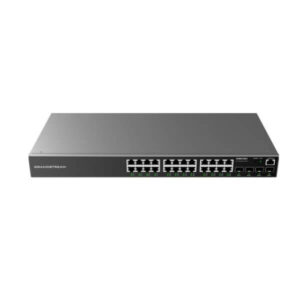
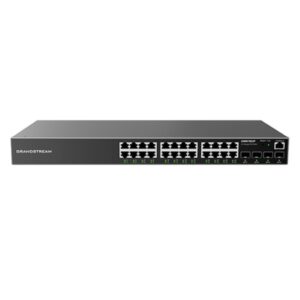
16 x GE RJ45, 8 x 2.5GbE RJ45, 2 x 5GbE RJ45
4 x 10GbE SFP+; compatible with 1GbE SFP operation
24 powered access ports; 420W shared budget; treat output as 802.3af/at per Fortinet technical clarification
Standalone or FortiGate switch-controller compatible deployment
Enterprise access, wireless aggregation, office floors, campuses and branches
Supplier and quantity dependent; request current UAE confirmation
Fortinet family warranty terms apply; confirm region, entitlement and support bundle
Share port count, PoE device list, uplinks, optics, quantity and delivery location
Fast Decision Snapshot for IT and Procurement Teams
This model makes the most sense when a network has a mixed edge: many ordinary 1GbE devices, a smaller set of multi-gigabit endpoints, and a need for faster 10GbE uplinks without moving to a much larger chassis. It can be a strong fit for Fortinet-centered LAN designs, but it is not a universal answer for every high-power access point. The buyer should size the PoE budget and confirm each endpoint’s IEEE power requirement before assuming compatibility.
Mid-sized access layers that combine users, wireless, voice, cameras and high-speed uplinks.
Multi-gigabit capability where it is needed, without making every copper port a premium-speed interface.
Total PoE wattage, per-device power standard, optics, fiber type, FortiGate model and rack power.
Single or multi-tier campus access where 10GbE uplinks and Fortinet management are part of the design.
Software features can depend on FortiSwitchOS release, management mode and optional licensing.
Model review, quote support, sourcing guidance, accessory matching and UAE delivery coordination.
Product Overview
FortiSwitch M426E-FPoE is designed for a specific access-layer challenge: supporting a modern mix of conventional Ethernet devices and bandwidth-hungry edge systems in the same rack unit. Many established business networks still have desktops, printers, phones, controllers and cameras that are perfectly served by Gigabit Ethernet, while newer wireless access points or specialist endpoints can benefit from 2.5GbE or 5GbE links. Replacing every switch port with the fastest available interface can add cost and complexity without adding real value. This platform takes a more balanced route by combining 16 standard Gigabit copper interfaces with eight 2.5GbE ports, two 5GbE ports and four 10GbE SFP+ uplinks.
That mix allows IT teams to place faster interfaces where traffic demand justifies them, while continuing to connect ordinary users and infrastructure through familiar 1GbE access. The four SFP+ ports provide a practical path toward aggregation switches, server rooms, core switching or FortiGate firewalls where upstream bandwidth matters. Because the SFP+ interfaces can also operate with compatible 1GbE SFP optics, migration can be planned around the existing fiber plant rather than forcing every uplink to change at once.
Power over Ethernet is another major reason buyers evaluate this model. A shared 420W PoE budget can simplify cabling for many supported devices by carrying both data and power over Ethernet. The important qualification is power standard, not just total wattage. Fortinet technical guidance published for this exact hardware clarifies that the ports do not provide 802.3bt output and only expose IEEE 802.3af and 802.3at power modes. Buyers planning newer high-power access points should therefore verify the device’s required standard and operating profile. A unit that appears to have enough overall watts may still be unsuitable if an endpoint requires a per-port power class the switch cannot supply.
For Dubai and wider UAE projects, the value of this switch is usually strongest when it forms part of an organized network refresh rather than a single isolated purchase. FourTeck.com can help the buyer map endpoints to port types, estimate the shared PoE load, check SFP/SFP+ transceivers, review FortiGate management compatibility, identify rack and power requirements, and compare newer FortiSwitch options where 802.3bt or a larger multi-gig footprint is required. This avoids choosing on model name alone and gives procurement teams a clearer basis for quantity, accessories, support and long-term expansion.
Key Business Benefits
A switch specification becomes useful only when it can be translated into operational value. The benefits below explain where the architecture can reduce bottlenecks, simplify edge deployment and make network expansion easier to plan.
◆ Targeted Multi-Gigabit Performance
The network does not need to treat every desk as a high-bandwidth endpoint. Eight 2.5GbE and two 5GbE copper ports let the designer reserve faster edge connectivity for access points, content-heavy workstations, local infrastructure or other devices that can actually use more than 1GbE. This supports a phased upgrade strategy and can reduce unnecessary overspend on ports that would remain underutilized.
◆ Cleaner PoE Deployment
A 420W shared budget can power a meaningful mix of supported phones, cameras, access points and other 802.3af/at devices without separate local adapters. This can simplify ceiling, corridor, meeting-room and branch installations. The business benefit is fewer power bricks and more centralized control, provided the design uses real endpoint wattage and the correct IEEE standard when calculating the load.
◆ Faster Upstream Links
Four 10GbE SFP+ interfaces give the access layer room to move traffic toward aggregation, the server room or a FortiGate environment without forcing every uplink through a single Gigabit connection. Depending on topology and supported configuration, multiple high-speed paths can improve resiliency and reduce the chance that user traffic, wireless traffic and other edge workloads compete for a narrow upstream bottleneck.
◆ Fortinet-Centered Management
The switch is compatible with FortiGate switch-controller deployments through FortiLink, allowing organizations already invested in Fortinet to align wired access with the broader security and management environment. This can reduce the number of separate interfaces administrators need to work with and make segmentation, device visibility and policy operations easier to coordinate across the LAN.
◆ Useful Campus Scale
Fortinet positions the 400E family for secure campus access and multi-tier network designs. With 172Gbps switching capacity, 255Mpps forwarding and support for thousands of VLANs, this platform is designed for more structured environments than a simple unmanaged edge switch. That matters to organizations segmenting departments, voice, wireless, cameras, guest access and operational devices across one managed infrastructure.
◆ Migration-Friendly Port Mix
Existing cabling and optics can often be migrated in stages. Standard Gigabit copper remains available for ordinary users, while the SFP+ uplinks also support compatible 1GbE SFP operation. This helps project teams preserve usable infrastructure where appropriate while introducing higher speeds to the links that need them first. A phased plan can be easier to budget and less disruptive than a complete rip-and-replace.
Product Highlights That Matter in a Real Network
Sixteen standard Gigabit ports cover everyday wired endpoints, while eight 2.5GbE and two 5GbE ports provide higher-speed access for selected devices. This mix is useful when a business is upgrading Wi-Fi or specialist endpoints without replacing every access connection at the same time.
The uplink block supports high-speed fiber or DAC connectivity toward aggregation and core infrastructure. Compatible 1GbE SFP operation gives migration flexibility where an existing optical link has not yet been upgraded to 10GbE.
The total power budget is substantial for an access switch, but planning must consider per-port power requirements. Fortinet’s technical clarification takes precedence for practical design: use 802.3af/at expectations, not 802.3bt assumptions.
The platform supports managed enterprise networking functions rather than simple plug-and-play connectivity. VLANs, routing entries, link aggregation and other features allow it to participate in structured campus and branch architectures, subject to firmware and management mode.
Organizations using compatible FortiGate infrastructure can incorporate the switch into FortiLink-based management. This can be valuable when wired access, segmentation and security operations are designed together.
The 1RU chassis measures approximately 44 x 410 x 440 mm and weighs about 5.9 kg. Buyers should account for cabinet depth, airflow, cable management, electrical capacity and UPS protection before rollout.
The most important pre-purchase confirmation is not a headline throughput number; it is whether the chosen endpoints, optics, topology and power plan match the switch’s actual hardware limits. This is especially true for high-power wireless access points that may require 802.3bt or dual-power designs.
Technical Specifications
| Specification | FS-M426E-FPOE Details | Buyer Relevance |
|---|---|---|
| Product type | Managed Layer 2/3 FortiGate switch-controller compatible campus switch | Designed for structured business access networks rather than unmanaged desktop use. |
| Gigabit RJ45 | 16 x GE RJ45 | General office endpoints, phones, cameras and other 1GbE devices. |
| 2.5GbE RJ45 | 8 x 2.5GbE RJ45 | Useful for compatible multi-gigabit APs and higher-bandwidth edge devices. |
| 5GbE RJ45 | 2 x 5GbE RJ45 | Provides selected high-speed copper connectivity for demanding local endpoints. |
| SFP+ uplinks | 4 x 10GbE SFP+; compatible with 1GbE SFP | Supports faster backbone, aggregation or firewall connections with suitable optics or DACs. |
| Dedicated management | 1 x 10/100 management port | Provides a separate management interface where the design uses it. |
| Console | 1 x RJ45 serial console port | Useful for local commissioning and recovery workflows. |
| PoE ports / budget | 24 powered access ports; maximum shared budget 420W | Total wattage must be calculated across all connected powered devices. |
| PoE standard note | Fortinet technical guidance confirms IEEE 802.3af / 802.3at modes; hardware does not provide 802.3bt output | Critical for newer high-power APs and other devices that require 802.3bt. |
| Switching capacity | 172 Gbps duplex | Provides the platform bandwidth for its mixed-speed interface design. |
| Forwarding rate | 255 Mpps duplex | Relevant to packet-forwarding capability under supported conditions. |
| MAC address storage | 16K | Supports a large campus access endpoint table. |
| VLAN support | Up to 4K VLANs | Enables granular segmentation subject to the network design and software configuration. |
| Link aggregation group size | 8 interfaces per group; total groups up to interface count | Useful for supported redundancy and bandwidth aggregation designs. |
| Packet buffer | 2 MB | Part of the switch’s traffic handling architecture. |
| Memory / flash | 1 GB DDR4 / 256 MB flash | Platform resources for system operation. |
| Network latency | Less than 1 microsecond, vendor listed | A hardware specification; actual application latency depends on the whole path. |
| Dimensions | Approx. 44 x 410 x 440 mm | Check cabinet depth, rear clearance and cable bend radius. |
| Weight | Approx. 5.9 kg | Relevant to rack loading and installation handling. |
| Input power | 100–240V AC, 50/60Hz | Confirm rack PDU, plug type, circuit load and UPS capacity. |
| Operating temperature | 0°C to 50°C | Air-conditioned rack design and airflow remain important in UAE deployments. |
Choosing the correct configuration starts by separating three questions: how many physical ports are needed, which endpoints require more than 1GbE, and how much PoE power must be delivered simultaneously. A network with 20 phones and four standard access points may fit very differently from a network with eight newer high-performance APs, even if the port count is identical. The second design step is uplink planning. Four SFP+ interfaces can provide significant flexibility, but the correct optic or DAC depends on distance, fiber type, connector type, upstream interface and redundancy design. The final step is management and support: determine whether the switch will run standalone, under a FortiGate controller, or as part of a broader Fortinet management model, then confirm licensing or support requirements for the software features the project expects to use.
Configuration and Buyer Guidance
A correct switch quotation should be based on a small network design brief, not only a model number. Before contacting FourTeck.com, gather the information below so port type, power, optics and support can be reviewed together.
How many devices will connect?
Count current devices and near-term additions. Separate ordinary 1GbE endpoints from those that can use 2.5GbE or 5GbE. Keep spare ports for growth, troubleshooting and temporary devices rather than designing every switch to operate at absolute capacity from day one.
What is the real PoE load?
List the maximum power draw and required IEEE standard for every phone, camera, AP or controller. Add the wattage, leave sensible headroom, and verify that no device depends on 802.3bt. This protects the project from a common mistake: having enough total watts but the wrong per-port power capability.
Where do the uplinks terminate?
Confirm whether each SFP+ link connects to a FortiGate, aggregation switch, core switch, server or another access layer. Record the distance and fiber type. This determines whether the project needs multimode optics, single-mode optics, DACs or existing transceivers that can be reused.
How will the switch be managed?
Decide whether the site expects FortiGate-based FortiLink management, standalone operation or another supported model. The management choice influences design, software workflow, feature availability and how the network team handles updates, policy changes and troubleshooting.
Is the rack environment ready?
Check available 1RU space, cabinet depth, cable management, airflow, PDU capacity, plug type and UPS sizing. UAE server rooms can have significant thermal loads, so the 0–50°C operating range should never be treated as permission to neglect cooling or airflow planning.
What support outcome is expected?
Procurement should specify whether the requirement is hardware only, hardware plus Fortinet support, or part of a managed project. Warranty policy and support service are not the same thing. Confirm entitlement, duration, renewal approach and replacement expectations before the purchase order is finalized.
For a more accurate quotation, send FourTeck.com the device count, endpoint power list, access-port speed needs, uplink quantity and distance, existing FortiGate model, rack location, required quantity, preferred support term and delivery destination. If the design is replacing an older switch, include the current model and a simple port-utilization summary. That information makes it easier to determine whether the M426E remains the right fit or whether a newer family with true 802.3bt support, more multi-gigabit ports or faster uplinks would be a better long-term choice.
Ideal Business Use Cases
This switch is best evaluated by workload and topology rather than by organization size alone. A 50-person design with several high-speed access points may need more multi-gigabit capacity than a 200-person office made up mostly of ordinary wired users. The following scenarios show where the hardware mix can make practical sense.
Office Floor Access
A business floor can place standard desktops, printers and IP phones on the Gigabit ports while reserving 2.5GbE interfaces for selected wireless APs or high-bandwidth work areas. The 10GbE uplinks can then connect the floor back to the distribution layer or firewall environment with more headroom than a simple 1GbE trunk.
Wireless Network Refresh
Organizations moving from older 1GbE-connected APs to newer multi-gigabit models can use the faster copper ports to avoid a wired bottleneck. The critical check is power. APs that need 802.3af or 802.3at can be evaluated normally; APs that require 802.3bt at full function should be matched to a different switch or an approved dual-power design.
Education and Training Facilities
Classrooms, labs, administration offices and common spaces often combine user devices, IP phones, access points, cameras and building endpoints. VLAN capability and centralized Fortinet management can help separate these device groups while the mixed-speed interface layout allows selected wireless or lab infrastructure to run faster than basic user ports.
Hospitality and Multi-Service LANs
Hotels and serviced environments may place guest Wi-Fi, staff systems, voice devices, cameras and operational controllers on the same physical switching estate while separating them logically. A managed campus switch with multiple VLANs, PoE and high-speed uplinks can support that structure when the total endpoint count and power requirements stay within the platform limits.
Healthcare and Clinic Networks
Administrative workstations, voice, guest wireless, staff wireless, cameras and non-clinical networked systems may require separate logical segments. The switch can provide an access-layer foundation in such environments, but any medical-device connectivity or compliance requirement should be validated separately against the organization’s security and regulatory design.
Enterprise Branch or Department
A larger branch can use the unit as a capable access-layer building block where FortiGate integration, VLAN segmentation, PoE endpoints and 10GbE uplinks are already part of the architecture. For very high device density, extensive 802.3bt demand or large multi-gigabit deployments, a newer or higher-density FortiSwitch family may provide a better fit.
FortiSwitch M426E-FPoE Multi-Gigabit Access Design
The strongest architectural feature of this platform is not one isolated speed figure; it is the deliberate combination of three copper access tiers. Most business endpoints still operate comfortably at 1GbE, which is why the 16 Gigabit ports remain useful for desktops, printers, phones, cameras and controllers. Eight 2.5GbE ports then provide a higher-speed zone for devices that can exceed a single Gigabit link without requiring a complete change to 10GbE copper. Two 5GbE ports extend that idea further for selected high-bandwidth endpoints.
For network planners, this creates a practical migration pattern. Instead of replacing all horizontal cabling and access ports at once, the organization can identify the endpoints most likely to benefit from more bandwidth. Wireless access points are a common example because aggregate client traffic can exceed 1GbE, especially as Wi-Fi standards, channel widths and client density improve. Some specialist workstations, local appliances or engineering devices may also justify multi-gigabit connectivity. The remaining ports continue serving ordinary user traffic efficiently.
The design still depends on the upstream path. Fast edge ports do not improve user experience if all traffic is funneled into an undersized uplink. The four 10GbE SFP+ interfaces give the administrator multiple options for uplink separation, redundancy or aggregation subject to supported topology. For best results, the project should model actual traffic patterns: wireless backhaul, server access, internet traffic, voice, surveillance and inter-VLAN flows. FourTeck.com can help translate the endpoint list into a port map so the limited number of 2.5GbE and 5GbE interfaces are assigned where they create real value rather than simply where a cable happens to be available.
FortiSwitch M426E-FPoE PoE Planning and Endpoint Compatibility
A 420W PoE budget looks generous on paper, but professional design requires two separate calculations. The first is the total shared power budget. Add the maximum draw of every powered endpoint that may operate simultaneously, then leave operating headroom rather than planning to consume the full allowance continuously. The second calculation is per-port standard. An endpoint can be within the total wattage budget and still fail to operate correctly if it expects a power class that the switch hardware does not deliver.
This point matters particularly for this model because Fortinet product literature has historically described selected multi-gigabit ports with UPOE or 802.3bt terminology. Fortinet later published a technical clarification stating that the FS-M426E-FPOE hardware does not support UPoE 802.3bt and that the available PoE port modes are IEEE 802.3af and IEEE 802.3at. In practical terms, buyers should design around that clarification. Do not order the switch for a single-cable high-power access point simply because an older datasheet appears to show 60W capability.
For a wireless project, record each AP model and its normal versus reduced-power behavior. Some devices may boot on lower power but disable radios, USB functions or other features. Others may require two Ethernet connections to obtain adequate power when supported by the AP design. The right answer depends on the specific endpoint and topology. For cameras, phones and access-control devices, the same principle applies: verify the maximum draw and standard rather than assuming all PoE devices are interchangeable.
This approach also improves business continuity. When the power plan is documented, network teams can estimate how many endpoints remain supported if the design changes, avoid unexpected power denial when adding devices, and make better UPS calculations because PoE load contributes to the switch’s electrical demand. FourTeck.com can review a simple powered-device schedule before quotation and suggest a newer FortiSwitch alternative if the project genuinely needs 802.3bt output.
FortiSwitch M426E-FPoE FortiGate Management and Campus Control
In a Fortinet-centered network, the ability to manage access switching through compatible FortiGate infrastructure can be as important as port speed. FortiLink-based control allows the network team to treat switching as part of the security architecture rather than as a completely separate operational island. For businesses already standardizing on FortiGate, this can simplify day-to-day visibility, policy coordination and troubleshooting because wired access information is closer to the firewall and segmentation workflow.
The benefit is not that every deployment becomes automatic. A good design still needs VLAN planning, uplink architecture, loop prevention, link aggregation, IP addressing, firmware management, change control and documented recovery procedures. What Fortinet integration can do is reduce tool fragmentation and make it easier to align the access layer with the organization’s broader secure networking model. This is especially useful across repeated branches or multiple campus switches where consistent configuration and visibility matter more than one-off local settings.
Buyers should confirm the intended FortiGate model, FortiOS version, FortiSwitchOS version and management mode before purchase. Feature support evolves with software releases, and optional advanced functionality may involve separate licensing. The model is listed as supported by current FortiSwitchOS releases, but that does not mean every new software capability is available on every older hardware platform. Lifecycle planning should therefore consider not only whether the switch works today, but how long the organization expects to standardize on the platform and what future features are likely to be required.
For procurement, the practical outcome is a better bill of materials. A quote should include the switch, required optics or DACs, power and rack considerations, the appropriate support term, and any software entitlement the design depends on. FourTeck.com can help connect those items into one review so the buyer does not discover after delivery that a missing transceiver, unsupported power class or overlooked support requirement delays the deployment.
Questions Business Buyers Ask Before Choosing This Switch
These questions help technical teams, procurement managers and business owners assess fit before requesting a quotation. They focus on the decisions that most often affect compatibility, total project cost and deployment success.
Is this a good fit for a normal office floor or only a large campus?
It can fit either, provided the port mix matches the site. A medium office may value the 16 Gigabit ports for users and phones while using the multi-gig ports for access points. A campus can deploy it as one access-layer unit among many. The correct sizing depends on connected device count, uplink topology, PoE load and whether 24 powered access ports are enough for the floor.
Can it power modern Wi-Fi access points?
It can power APs that operate within supported 802.3af or 802.3at requirements and the shared 420W budget. It should not be chosen for an AP that requires 802.3bt on a single Ethernet connection. Fortinet has specifically clarified this hardware limitation. Share the exact AP model with FourTeck.com so power standard, expected draw and any reduced-power behavior can be checked before ordering.
Do all copper ports run at multi-gigabit speed?
No. The switch has a mixed layout: 16 standard Gigabit RJ45 ports, eight 2.5GbE RJ45 ports and two 5GbE RJ45 ports. This is useful when only selected devices need faster access. Before buying, map each endpoint to the required speed so high-bandwidth APs or appliances do not consume the limited multi-gig ports unnecessarily.
Will it integrate with an existing FortiGate?
The model is FortiGate switch-controller compatible and is commonly deployed using FortiLink in Fortinet environments. Integration should still be checked against the exact FortiGate model, FortiOS release, topology and feature requirements. If the network already has standardized VLANs, switch profiles and security policies, sharing that information helps determine how smoothly the new unit can be introduced.
What optics or cables are needed for the 10GbE uplinks?
That depends on distance and the upstream equipment. Short in-rack links may use supported DACs, while fiber links may require multimode or single-mode SFP+ optics. The connector and fiber plant must match. Because the SFP+ ports can also support compatible 1GbE SFP operation, existing links may sometimes be retained during a phased migration, subject to transceiver compatibility.
What should be checked when replacing an older access switch?
Compare more than port count. Record current VLANs, trunks, spanning-tree settings, link aggregation, PoE consumption, uplink optics, cabling category, rack depth and connected device speeds. Also check whether any newer endpoint now requires 802.3bt. A replacement project is a good time to correct oversubscribed uplinks, undocumented power loads or a lack of spare ports.
How much growth should be allowed for future devices?
Leave room in three areas: physical ports, PoE wattage and uplink bandwidth. A switch with spare copper ports can still become constrained if the PoE budget is fully committed or if multiple faster APs share a narrow uplink. Forecast likely additions for the next refresh cycle and decide whether the limited number of 2.5GbE and 5GbE ports will remain adequate.
Does the purchase require licenses or support services?
The hardware can operate as a switch, but the final bill of materials may include Fortinet support and optional software entitlements depending on the features and management model. Buyers should distinguish the hardware warranty from support subscriptions and confirm the desired service term, renewal plan and any advanced-feature requirement before issuing a purchase order.
What information produces the most accurate FourTeck quotation?
Send the required quantity, current or target FortiGate model, number of 1GbE and multi-gig endpoints, powered-device list with wattage, uplink type and distance, preferred support term and UAE delivery location. If the project is a replacement, include the existing switch model. This allows the quote to account for optics, accessories and alternative models rather than pricing the chassis in isolation.
Common Business Requirements This Switch Can Support
For businesses upgrading selected links beyond 1GbE
The mixed 1GbE, 2.5GbE and 5GbE access layout suits organizations that need faster connectivity only for specific devices. Buyers should identify those endpoints in advance so the limited multi-gig ports are allocated where they remove a real bottleneck.
For projects that power many standard PoE devices
A 420W shared budget can support a broad mix of compatible phones, cameras, access points and edge devices. The project team must confirm each device uses 802.3af or 802.3at and calculate total demand with headroom.
For FortiGate-centered branch or campus designs
Controller compatibility makes the platform relevant where wired access and Fortinet security management are planned together. Confirm the FortiGate model, software versions and topology so required features are supported in the intended deployment mode.
For network closets needing 10GbE uplink options
Four SFP+ ports can connect the access layer to distribution, core or firewall infrastructure. Buyers should match optics or DACs to distance, fiber type and the upstream port specification rather than treating SFP+ modules as universally interchangeable.
For organizations replacing an older PoE switch
The model can be considered when the existing estate needs more uplink headroom and selected multi-gig ports. Replacement planning should compare PoE standard, current VLANs, optics, rack depth and future AP requirements before assuming the new unit is a direct like-for-like swap.
For procurement teams building a complete bill of materials
The chassis is only one line item. A deployment may also require SFP/SFP+ optics, DACs, patch leads, rack hardware, UPS capacity, Fortinet support and implementation services. FourTeck.com can review these dependencies before quotation.
What Buyers Should Check Before Purchase
A switch can be technically impressive and still be the wrong purchase if the project brief is incomplete. Before requesting a quote, confirm the exact port mix, powered devices, upstream topology, support expectations and physical environment. This reduces the risk of ordering a switch that has enough total interfaces but not enough ports at the speed or power class the deployment requires.
Configuration Fit
Count 1GbE, 2.5GbE and 5GbE requirements separately. The platform does not provide multi-gig speed on every copper port. If the project expects many newer wireless access points, compare the number of multi-gig interfaces with the planned AP count and leave room for expansion.
PoE Compatibility
Do not rely on older UPOE or 802.3bt wording associated with this model. Use 802.3af/at as the practical hardware limit and verify every powered endpoint. For high-power APs, confirm whether a newer FortiSwitch platform is required.
Availability and Warranty
Availability can change with supplier status, project quantity and lifecycle. Confirm current sourcing before scheduling installation. Fortinet family warranty terms and paid support services should be reviewed separately so the organization understands hardware coverage, technical assistance and renewal responsibilities.
Uplink and Optics
Specify link distance, fiber type, connector and upstream equipment. An SFP+ slot does not guarantee every transceiver will be supported. Decide whether links should run at 1GbE during migration or at 10GbE from day one.
Rack and Power Readiness
Check 1RU space, cabinet depth, airflow, PDU capacity and UPS load. PoE output increases electrical demand, so a switch used heavily for powered endpoints should be included in the site’s power and backup calculations, not treated as a low-load network appliance.
Quote Preparation
Provide the desired quantity, device list, PoE requirements, uplink design, FortiGate information, support term and delivery destination. This lets FourTeck.com identify missing accessories and suggest an alternative if the project would be better served by a newer true-802.3bt platform.
Long-term cost should also be considered. The purchase price is only one part of a switch lifecycle. Optics, support renewals, UPS capacity, power consumption, spare strategy and engineering time all influence total cost. A cheaper initial model can become expensive if it needs external injectors for high-power endpoints or an early replacement because the number of multi-gig ports was underestimated. Conversely, a more advanced model may be unnecessary if most endpoints remain at 1GbE. FourTeck.com’s role is to help the buyer compare the whole requirement rather than treating every project as a simple product lookup.
UAE Availability and Service Support
FourTeck.com supports business inquiries for this Fortinet switch in Dubai and across the UAE with product selection assistance, configuration review, quotation support, accessory matching and delivery coordination. Availability is not fixed and should be confirmed for each order because supplier position, hardware lifecycle, quantity, support bundle and project timing can all affect sourcing. The page therefore uses a request-for-quote approach rather than a visible stock or price claim.
For technical review, the most useful information is the proposed switch count, device count, required port speeds, powered-device schedule, FortiGate model, uplink distance, optical media, rack location and support term. FourTeck.com can help identify whether compatible transceivers, DACs, patching, power protection or implementation assistance should be included. Where a newer access point requires 802.3bt, the team can also help compare another FortiSwitch platform rather than forcing the requirement onto hardware that does not provide the necessary power standard.
Warranty guidance can be reviewed as part of quotation. Fortinet lists limited lifetime hardware warranty coverage for the family, but buyers should verify regional policy, product eligibility, registration and the difference between warranty and paid technical support. Delivery dates and logistics should only be committed after current supply status and destination details are confirmed.
Coverage for Dubai, Abu Dhabi, Sharjah and Ajman
Businesses in Dubai, Abu Dhabi, Sharjah, Ajman and other UAE locations can contact FourTeck.com for current sourcing guidance, configuration review and quote assistance. A branch office may need a single unit with optics and support, while a campus refresh may require multiple switches, standardized transceivers, staged delivery and a documented port or PoE plan. FourTeck can review these different requirements and coordinate quotations around the actual delivery location and project quantity. No physical branch, local stock position or delivery speed is implied by this coverage statement; current options are confirmed during the inquiry process.
Regional Availability for GCC and Africa Projects
FourTeck.com also supports technology inquiries for selected GCC and Africa markets through its regional channels. Businesses planning deployments in Saudi Arabia, Qatar, Oman, Kuwait or Bahrain can share the required model, quantity, support term and destination so sourcing and delivery options can be reviewed. For East Africa and wider regional projects, FourTeck has dedicated inquiry platforms for Kenya, Uganda and Africa-focused networking requirements.
Regional supply should be assessed carefully because warranty handling, importer requirements, delivery lead times, taxes, support registration and logistics can vary by country. A quotation for the same switch may therefore require different terms depending on destination. Project teams should avoid assuming that a price or availability status seen in one market automatically applies in another.
For a multi-country rollout, send a location-by-location quantity plan and indicate whether the organization wants one standardized support term and optic list. FourTeck can then help structure the inquiry and identify where equivalent or newer FortiSwitch models may be easier to source. Buyers researching broader switching options can also review FourTeck network switch solutions for Africa as a regional reference point.
Other Fortinet Switching Options Buyers May Consider
The right alternative depends on why the M426E is being considered. Some buyers need fewer ports, some need newer multi-gigabit capability, and others simply want a Fortinet-managed switch for a smaller branch. The options below provide useful starting points for comparison. Final specifications should be checked on the individual model page and against the project brief.
FS-108F-FPOE
A compact Fortinet PoE+ access switch for smaller offices, rooms and branches that do not need the M426E’s higher port density or multi-gigabit profile.
FS-110G-FPOE
A newer compact multi-gigabit FortiSwitch option worth evaluating where modern access points and higher-power PoE requirements are central to the branch design.
FS-124G
A 24-port multi-gigabit access platform for projects where faster copper connectivity is more important than switch-based PoE on this specific model.
FortiSwitch Family
Compare Fortinet access, PoE, full-PoE and campus switching families when the requirement is still being defined or when lifecycle and availability favor a different generation.
For a larger enterprise access project, FourTeck can also help review higher-density FortiSwitch platforms with more multi-gigabit interfaces, faster uplinks or true 802.3bt capability. The objective is not to replace one model with another simply because it is newer; it is to select the platform whose ports, PoE standard, uplink bandwidth, support lifecycle and management model align with the real network requirement.
Why Business Buyers Work with FourTeck.com
Enterprise networking purchases often fail at the small details: the wrong optic, an underestimated PoE load, a switch that cannot power the chosen AP, a missing support entitlement, or an uplink design that becomes the real bottleneck. FourTeck.com approaches the inquiry as a business technology requirement rather than a box-only transaction. The goal is to help the buyer identify those dependencies before the purchase order is issued.
Review product, quantity, destination and project timing so sourcing discussions start with a complete requirement rather than only a part number.
Assess access speeds, PoE endpoints, uplinks, optics, rack readiness and management mode to reduce avoidable compatibility mistakes.
Structure the bill of materials around hardware, optics, support and project quantity so procurement has a clearer commercial basis.
Coordinate delivery requirements after current supplier status, quantity and destination are confirmed. No unverified stock or delivery-speed promise is made.
Help buyers distinguish manufacturer warranty from paid technical support and identify the service term that matches operational expectations.
If lifecycle, power standard or availability makes another model more practical, FourTeck can help compare suitable Fortinet alternatives without forcing the original choice.
This is particularly relevant for the M426E because one widely repeated power specification has required later clarification from Fortinet. A procurement partner should surface that point rather than simply repeat older marketing material. Buyers who need help validating the design can contact FourTeck.com for product assistance and share the endpoint list for review.
Frequently Asked Questions
What is the FS-M426E-FPOE used for?
It is a managed campus access switch for connecting standard Gigabit devices, selected multi-gigabit endpoints and PoE-powered equipment while providing high-speed SFP+ uplinks. Typical deployments include office floors, branches, education, hospitality, healthcare and enterprise access networks. It is particularly relevant where some devices need 2.5GbE or 5GbE but many ordinary users still operate at 1GbE.
How many multi-gigabit ports does it have?
The switch provides eight 2.5GbE RJ45 ports and two 5GbE RJ45 ports, alongside sixteen standard Gigabit RJ45 ports. This mixed design lets buyers reserve faster access for wireless APs or other high-bandwidth endpoints instead of paying for multi-gig speed on every copper port. The project should map devices to port types before ordering.
Does it support 802.3bt PoE?
Fortinet technical guidance clarifies that this hardware does not support UPoE 802.3bt and exposes IEEE 802.3af and IEEE 802.3at power modes. Some product literature has used higher-power terminology for selected ports, so buyers should follow the technical clarification when planning real devices. If an AP requires 802.3bt on a single cable, ask FourTeck.com about a suitable newer switch.
What is the total PoE budget?
The vendor lists a maximum shared PoE budget of 420W. That number applies across powered ports, so the deployment should total the maximum demand of all connected devices and leave headroom. It is also necessary to confirm each endpoint’s required IEEE power standard. Total wattage alone does not guarantee that a specific high-power device will work.
Can FourTeck.com help with optics and uplink selection?
Yes. For an accurate recommendation, provide the number of uplinks, link distance, fiber type, connector, upstream device and target speed. The four SFP+ slots support 10GbE and compatible 1GbE SFP operation, but the correct transceiver or DAC must match both ends of the link. Optics should be reviewed as part of the switch bill of materials.
Is it available for Dubai and UAE projects?
FourTeck.com can support inquiries in Dubai and across the UAE, but current availability depends on supplier status, order quantity, lifecycle and support selection. The page does not claim permanent stock. Contact FourTeck with the required quantity and delivery destination so current sourcing, quotation and delivery options can be confirmed for the project.
Can it be managed through a FortiGate?
Yes, the model is FortiGate switch-controller compatible and can be used in supported FortiLink designs. Compatibility should still be checked against the exact FortiGate and FortiOS versions, topology and intended features. Organizations already using Fortinet can benefit from a more integrated wired access management approach when the switching design is planned together with the firewall environment.
What should I include in a quote request?
Include quantity, required delivery location, endpoint count, number of 1GbE and multi-gig ports, PoE device models, total power estimate, uplink type and distance, current FortiGate model and desired support term. If the purchase replaces an existing switch, provide that model too. These details help FourTeck identify optics, accessories and better-fitting alternatives where necessary.
Should I choose this model or a newer FortiSwitch?
Choose based on requirements rather than generation alone. This model remains useful when its mixed-speed ports, 10GbE uplinks, Fortinet management and 802.3af/at PoE fit the network. A newer switch may be preferable if the project needs true 802.3bt, more multi-gigabit access ports, faster uplinks, newer hardware lifecycle or different management features. FourTeck can help compare both paths.
Need Help Finalizing the Switch Configuration?
FourTeck.com can help review current availability, the mix of 1GbE and multi-gig ports, PoE endpoint compatibility, SFP+ optics, FortiGate integration, support expectations and UAE delivery requirements. Share your device list and project quantity to get a more accurate recommendation and quotation.