

Avaya Aura Messaging in Dubai, UAE
Avaya Aura Messaging helps organizations manage voicemail, mailbox access, notifications, and user messaging workflows inside an Avaya Aura communications environment. For business buyers in Dubai, it is relevant when a company wants a more controlled way to handle missed calls, internal voice messages, after-hours communication, and team response processes without adding unnecessary complexity to the user experience.
✓ License Guidance
✓ UAE Quote Assistance
✓ Business Communication Support
Quick Product Information
Best Suited For
Organizations already using or planning an Avaya Aura environment and needing a structured messaging layer for voicemail, notifications, and mailbox access.
Main Buyer Benefit
It helps reduce missed communication gaps by giving users practical message handling tools inside a familiar enterprise telephony setup.
Check Before Quote
Confirm the number of users, mailbox capacity expectations, software version, renewal need, and whether the deployment is new or an upgrade.
FourTeck Assistance
FourTeck.com can help prepare a clearer request so procurement teams receive a more accurate quotation and avoid wrong license selection.
Product Overview
Avaya Aura Messaging is designed for organizations that depend on voice communication but also need a practical way to store, retrieve, notify, and manage messages across users and departments. In many companies, missed calls are more than a small inconvenience. They can delay customer response, internal approvals, service follow-up, maintenance scheduling, sales inquiry handling, and after-hours escalation. A unified messaging solution gives users a defined mailbox experience and gives administrators a more controlled communication layer within the broader Avaya Aura platform.
The solution is especially relevant for businesses where desk phones, soft clients, operators, reception teams, branch offices, and mobile staff must work together. Instead of leaving important caller information scattered across individual handsets or informal notes, users can access voicemail and messaging features based on the selected configuration. The right setup can support business continuity, improve personal accountability, and help teams respond more consistently when employees are busy, unavailable, or working from different locations.
For UAE buyers, the important question is not only whether the software name matches the requirement. The buyer must also know whether the current Avaya Aura version, server environment, licensing model, mailbox requirement, and end-user workflow match the intended deployment. FourTeck.com helps business customers review these details before quotation. This is useful for IT managers replacing older messaging components, companies expanding user capacity, and procurement teams ordering licenses for a new communication project.
Because Avaya environments can be highly configuration-specific, FourTeck.com recommends checking the existing communication platform, license history, renewal position, software version, integration needs, and future user growth. This approach helps reduce mismatched orders and gives the buyer a more dependable basis for project planning.
Key Business Benefits
The main value of a messaging platform is not limited to storing voicemail. It supports the daily rhythm of business communication by helping users capture missed interactions, return calls with more context, and keep teams reachable even when they are away from their desk. The benefits below show how this product can support business users, IT teams, and procurement decision-makers.
◆ Better Message Control
Users can handle voice messages through a structured mailbox experience, reducing the risk of missed customer calls becoming forgotten tasks.
◆ Improved Response Flow
Notifications and mailbox access can help busy employees identify important messages faster and return calls with better context.
◆ Enterprise Fit
The product is intended for business communication environments where messaging should align with existing Avaya Aura architecture and policies.
◆ User Productivity
Clear mailbox access helps users spend less time chasing call details and more time responding to customer, supplier, and internal requests.
◆ Upgrade Planning
A proper review can support migration from older messaging deployments to a more suitable license and version path.
◆ Procurement Clarity
When user count, license type, and deployment details are clear, procurement teams can request more accurate commercial offers.
Product Highlights
Avaya Aura Messaging supports business voicemail and unified messaging use cases for organizations that want communication services to remain consistent across their telephony environment. Depending on the selected version and licensing model, buyers may consider mailbox features, message access, notification capability, user preferences, integration approach, and administrative control. The practical strength of the platform is its fit within Avaya Aura deployments where companies already depend on Avaya communication services for voice and user collaboration.
Useful for departments that need clear message capture when users are away, busy, in meetings, or outside office hours.
Administrators and users can work with supported settings based on the deployed option, helping communication match business workflow.
Final architecture can vary, so buyers should confirm server, license, software, and integration requirements before purchase.
A well-planned messaging layer can support communication follow-up when employees cannot answer calls immediately.
Before ordering, buyers should confirm the exact messaging requirement because Avaya software deployments may depend on system version, license entitlement, user count, maintenance status, and current infrastructure. FourTeck.com can help organize these details into a clear quotation request.
Technical Specifications
Configuration and Buyer Guidance
Messaging software is often ordered as part of a wider communication project, so buyers should avoid selecting it only by product name. The correct quotation depends on the number of users, required mailbox functions, current Avaya Aura version, active support status, existing licenses, server environment, and whether the requirement is for a new deployment, expansion, upgrade, or renewal. A small office may need straightforward voicemail capability, while a larger enterprise may need user access planning, branch considerations, redundancy review, and a more detailed change plan.
User Count
Share how many users, extensions, or mailboxes need messaging access today and what growth is expected.
Current Platform
Confirm the deployed Avaya Aura version, Communication Manager details, and related components where applicable.
License Position
Check whether the requirement is for new licenses, expansion, migration, renewal, or support entitlement review.
Deployment Need
Mention whether installation, configuration, migration support, or integration review is needed with the quotation.
When contacting FourTeck.com, include the business location, current system version, number of users, expected messaging features, and any urgency related to migration or renewal. This helps the team guide you toward a suitable option and reduces delays caused by missing technical details.
Ideal Business Use Cases
This solution is useful anywhere missed voice communication can affect service quality, response time, internal coordination, or customer confidence. Different organizations use messaging systems in different ways, so FourTeck.com recommends mapping the feature requirement to the actual business process before purchasing.
Corporate Offices
Reception teams, managers, finance departments, and shared service desks can use mailbox workflows to handle missed calls with better discipline.
Customer Service Teams
Service departments can capture caller messages when agents are busy and return calls based on recorded context.
Branch Operations
Distributed offices can standardize user messaging practices so employees follow a common communication process.
Healthcare and Clinics
Appointment desks and administration teams may need structured message capture during busy periods and after-hours calls.
Hospitality and Facilities
Operational teams can use voicemail and notification planning to support guest requests, maintenance calls, and internal coordination.
Enterprise IT Projects
IT teams can include messaging review in wider Avaya upgrades, site migrations, or communication modernization projects.
Avaya Aura Messaging Voicemail Workflow
A dependable voicemail workflow is still important in modern offices because not every business conversation happens through email, chat, or ticketing systems. Customers may call directly, suppliers may leave urgent updates, senior managers may depend on voice follow-up, and service teams may need a record of after-hours requests. When voicemail is configured properly, the user receives a clearer path for message retrieval and response. This is particularly helpful when employees move between meetings, shifts, sites, and remote work arrangements.
For procurement teams, the key point is to match voicemail needs with the correct license and deployment design. Some users may only need basic message capture, while others may require broader access options or notification features depending on the enabled package. FourTeck.com can help buyers define whether the requirement is simple mailbox availability, a larger messaging expansion, or part of a wider Avaya communication upgrade. Clear scoping makes the purchasing conversation faster and gives technical teams a better basis for planning.
Avaya Aura Messaging User Access and Notifications
User access is one of the most important areas to review before purchasing a messaging solution. Different employees may need different levels of access based on their role. Reception users may handle many external callers, managers may need convenient retrieval, service staff may require quick alerts, and administrators may need the ability to manage user settings. A good messaging plan starts by identifying which users require mailboxes, which departments need shared or individual handling, and how notifications should support response expectations.
Notification planning should also consider real business behavior. Some employees work mainly from desk phones, others use soft clients, and some may move between office and field environments. Buyers should review what is technically supported in the selected configuration and whether any additional licensing or integration step is needed. FourTeck.com can help organize these questions before the quote request so the final offer is not based on assumptions. This is especially useful for organizations with multiple departments, different user roles, or a phased rollout plan.
Avaya Aura Messaging Deployment Planning
Deployment planning should be handled carefully because messaging is connected to day-to-day communication. A new installation, upgrade, or expansion may involve software version checks, platform compatibility, license validation, user migration, administrator access, and testing. Buyers should also consider how downtime will be avoided or minimized, whether the current system has valid support coverage, and whether technical assistance is required during implementation.
For companies that already operate an Avaya Aura platform, the deployment discussion may include existing Communication Manager details, server or virtual environment readiness, user count, current mailbox status, and integration expectations. For new projects, the discussion may start with the desired user experience and then move into licensing and architecture. FourTeck.com supports the buying stage by helping customers prepare the right information before quotation, which can reduce back-and-forth and improve project accuracy.
What Buyers Should Check Before Purchase
Before requesting a quote, buyers should confirm the required configuration, usage environment, compatibility needs, license position, support expectations, and delivery location. Messaging software can look simple from the product name, but the correct option often depends on the existing Avaya system, number of mailboxes, software version, renewal status, and the practical workflow expected by users. FourTeck.com can help review these details so the selected option matches the business requirement instead of choosing only by model name or a generic price reference.
Configuration Fit
Confirm user count, mailbox needs, message access expectations, server environment, and whether the order is for a new system, upgrade, or expansion.
Compatibility Check
Verify the Avaya Aura software version, related components, current entitlement, and whether any migration or integration work is required.
Availability and Warranty
Availability, license supply, and support terms may vary by selected option, supplier status, and quantity, so current confirmation is important.
Quote Preparation
Share existing system details, required users, business location, expected timeline, and whether installation or renewal guidance is needed.
A good buying request should also mention the number of sites, user groups, administrator requirements, and any compliance or data retention considerations. For example, a customer service department may need different message handling than a finance office or a facilities team. A phased rollout should include current and future users so the buyer does not under-order licensing. If the purchase is connected to an upgrade, the quotation request should include the current release and support status. This practical preparation allows FourTeck.com to respond with clearer guidance and helps procurement teams compare options more confidently.
UAE Availability and Service Support
FourTeck.com supports product inquiries across Dubai and the UAE with assistance for product selection, configuration review, quote requests, delivery coordination, and warranty guidance. Availability may vary based on selected license type, current supplier status, order quantity, project scope, and compatibility requirements. Because Avaya communication products are often tied to software version and entitlement details, the team may ask for additional information before preparing a complete quotation.
For buyers planning a new deployment, FourTeck.com can help identify the basic information required before quotation. For existing Avaya users, the team can help review whether the request is for expansion, renewal, migration, or replacement guidance. This makes the buying process clearer and reduces the risk of ordering the wrong item. To begin, share the current system details, required number of users, business location, and preferred timeline through the contact page.
Dubai, Abu Dhabi, Sharjah, and Ajman Coverage
Businesses in Dubai, Abu Dhabi, Sharjah, Ajman, and other UAE locations can contact FourTeck.com for Avaya communication product availability, configuration guidance, and quote assistance. The team can help buyers review suitable models, related options, licensing needs, and purchase requirements based on business use. This combined coverage approach is useful for companies with a head office in one emirate and branch operations in another, because communication projects often need consistent planning across multiple sites.
GCC and Africa Availability
FourTeck.com also supports business technology inquiries across selected GCC and Africa markets through regional inquiry channels. Organizations in Saudi Arabia, Qatar, Oman, Kuwait, Bahrain, Kenya, Uganda, and other supported areas can request guidance for Avaya communication solutions, subject to product type, licensing rules, supplier confirmation, and country-specific delivery or warranty handling. Regional availability may vary, so buyers should confirm the exact requirement before placing an order.
For regional buyers, useful links include FourTeck.com UAE, FourTeck Kenya, FourTeck Uganda, FourTeck Africa, and FourTeck Kuwait. Buyers should mention country, quantity, and project timeline when submitting an inquiry.
Other Options Buyers May Consider
Messaging requirements are often part of a larger unified communication environment. Depending on the customer’s current platform and future plans, FourTeck.com may also help review related Avaya solutions, user endpoints, networking items, or support services. The options below are not direct replacements in every case, but they are commonly reviewed by buyers planning communication projects.
Avaya Aura Platform
For organizations reviewing the wider communication architecture behind voice, SIP, collaboration, and messaging services.
Avaya Communication Manager
A core telephony component often discussed when buyers plan Avaya voice system upgrades or expansions.
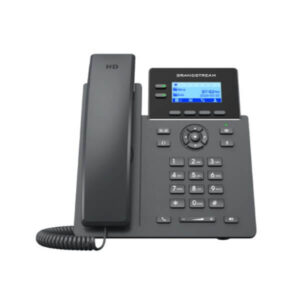
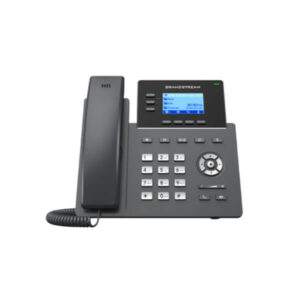
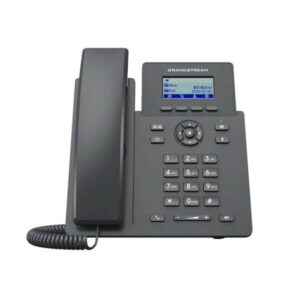
Avaya IP Phones
Suitable for businesses that need compatible desk phones as part of a user communication rollout.
Business Headsets
Useful for service desks, operators, reception teams, and users who spend significant time on calls.
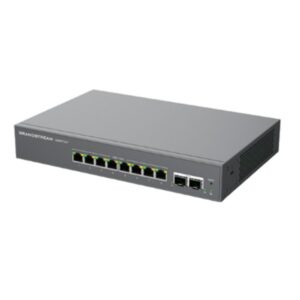
Networking for VoIP
Switching, routing, and power planning may be important when communication systems expand across offices.
Contact FourTeck
Use the contact page to share your communication project details and request a guided quotation.
Why Buyers Choose FourTeck.com
Business communication purchases require more than a product name. Buyers often need to confirm compatibility, license scope, support status, deployment expectations, and related hardware or service needs. FourTeck.com helps UAE organizations approach technology procurement with practical guidance rather than guesswork. This is valuable for IT managers who need technical accuracy, procurement teams that need clear commercial requests, and business owners who want a communication system that supports daily operations.
Guidance for communication, networking, server, endpoint, and infrastructure requirements.
Help reviewing the details that affect product selection and quotation accuracy.
Support for preparing a clear quote request with user count, scope, and location details.
Assistance understanding support terms, renewal needs, and supplier confirmation.
Useful for companies ordering software, endpoints, accessories, and infrastructure together.
Support when older systems, retired licenses, or unavailable components require updated alternatives.
Frequently Asked Questions
What is Avaya Aura Messaging used for?
It is used for business voicemail and unified messaging functions within an Avaya Aura communication environment. It helps users capture missed calls, retrieve messages, manage mailbox access, and use supported notification features depending on the selected configuration and license entitlement.
Is it available for businesses in Dubai?
FourTeck.com supports inquiries for this solution in Dubai and across the UAE. Availability depends on the selected option, license type, supplier confirmation, quantity, and current product status. Buyers should request a quote with their user count and platform details.
Can FourTeck.com help with configuration?
Yes, FourTeck.com can help buyers organize the information needed for configuration review, including current Avaya platform, software version, user count, mailbox needs, license requirement, and whether the request is for a new deployment, expansion, upgrade, or renewal.
Does the solution require existing Avaya infrastructure?
It is normally reviewed in relation to an Avaya Aura communication environment. Exact requirements depend on the deployed architecture, version, and licensing. Buyers should confirm compatibility before purchase to avoid ordering a component that does not match their current platform.
How do I request a quotation?
Use the FourTeck.com contact page and share the product name, number of users, current Avaya system details, business location, required timeline, and whether you need licensing, upgrade, renewal, or deployment guidance. Clear information helps speed up quotation review.
Does availability depend on configuration?
Yes. Software availability and pricing can depend on licensing model, user count, support entitlement, product status, and supplier confirmation. FourTeck.com recommends confirming the exact requirement before procurement so the quotation matches the intended deployment.
Can businesses request bulk supply?
Businesses can request quotations for multiple users, branch rollouts, or project-based requirements. Bulk requests should include expected user count, number of sites, deployment timeline, license type, and any related hardware or service requirements.
What warranty or support guidance is available?
Support terms for software products may vary based on license type, software assurance, supplier status, and renewal position. FourTeck.com can help buyers check what information is needed before quotation and guide them on support-related questions.
What information should I share before buying?
Share current Avaya system details, number of users, mailbox requirements, software version, license status, support requirements, business location, and whether installation or migration assistance is needed. This helps FourTeck.com prepare more accurate guidance.
Need Help Choosing the Right Avaya Messaging Option?
FourTeck.com can help you review availability, licensing options, compatibility questions, warranty guidance, and quote requirements for your business communication project.
Reviews
There are no reviews yet.